ritheachengkh
🔒 Krypton Level 2 → Level 3
Level Info
ROT13 is a simple substitution cipher.
Substitution ciphers are a simple replacement algorithm. In this example of a substitution cipher, we will explore a ‘monoalphebetic’ cipher. Monoalphebetic means, literally, “one alphabet” and you will see why.
This level contains an old form of cipher called a ‘Caesar Cipher’. A Caesar cipher shifts the alphabet by a set number. For example:
plain: a b c d e f g h i j k …
cipher: G H I J K L M N O P Q …
In this example, the letter ‘a’ in plaintext is replaced by a ‘G’ in the ciphertext so, for example, the plaintext ‘bad’ becomes ‘HGJ’ in ciphertext.
The password for level 3 is in the file krypton3. It is in 5 letter group ciphertext. It is encrypted with a Caesar Cipher. Without any further information, this cipher text may be difficult to break. You do not have direct access to the key, however you do have access to a program that will encrypt anything you wish to give it using the key. If you think logically, this is completely easy.
One shot can solve it!
Have fun.
Additional Information:
The encrypt binary will look for the keyfile in your current working directory. Therefore, it might be best to create a working direcory in /tmp and in there a link to the keyfile. As the encrypt binary runs setuid krypton3, you also need to give krypton3 access to your working directory.
Here is an example:
krypton2@melinda:~$ mktemp -d
/tmp/tmp.Wf2OnCpCDQ
krypton2@melinda:~$ cd /tmp/tmp.Wf2OnCpCDQ
krypton2@melinda:/tmp/tmp.Wf2OnCpCDQ$ ln -s /krypton/krypton2/keyfile.dat
krypton2@melinda:/tmp/tmp.Wf2OnCpCDQ$ ls
keyfile.dat
krypton2@melinda:/tmp/tmp.Wf2OnCpCDQ$ chmod 777 .
krypton2@melinda:/tmp/tmp.Wf2OnCpCDQ$ /krypton/krypton2/encrypt /etc/issue
krypton2@melinda:/tmp/tmp.Wf2OnCpCDQ$ ls
ciphertext  keyfile.dat
🗝️ Solution
ssh krypton2@krypton.labs.overthewire.org -p 2231
krypton2_password
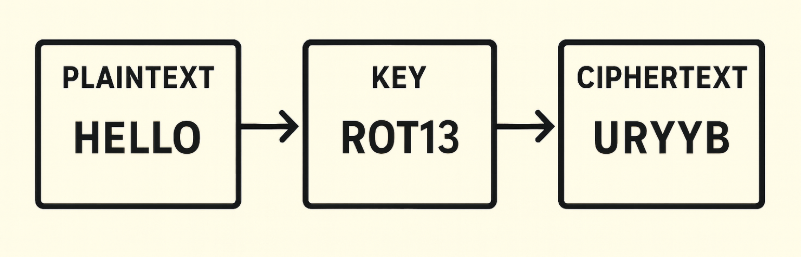
Basic Encryption Procedure
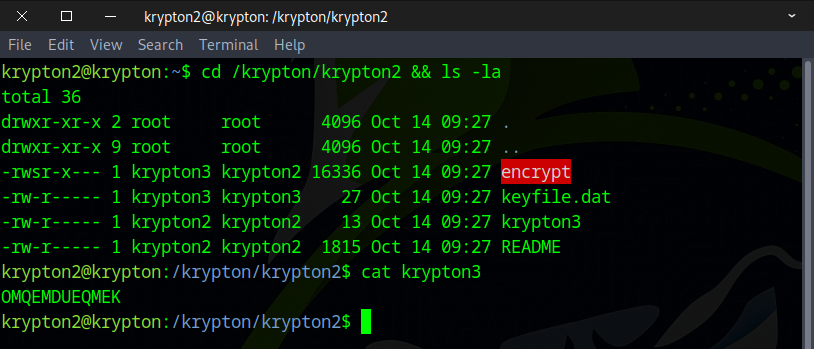
We identified three files that are of particular interest: encrypt, keyfile.dat, and krypton3.
- encrypt: A program that takes plaintext as input and uses a key to encrypt it.
- plaintext: This is the password for krypton3, which is currently unknown ???.
- keyfile.dat: The key used by the encrypt program to perform encryption.
- krypton3: The ciphertext generated by the encrypt program.
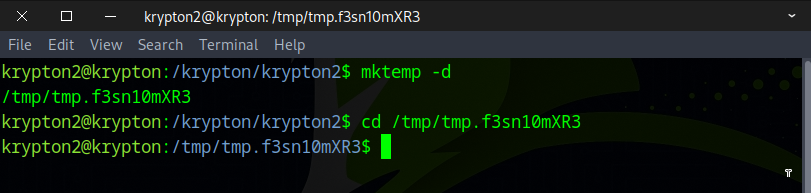
As stated in the instructions, we cannot execute files in the current directory, so we need to create a temporary folder.
mktemp -d
Next, we create symbolic links for keyfile.dat and krypton3 in the temporary directory and set the permissions to 777.
ln -s /krypton/krypton2/keyfile.dat
ln -s /krypton/krypton2/krypton3
chmod 777 .
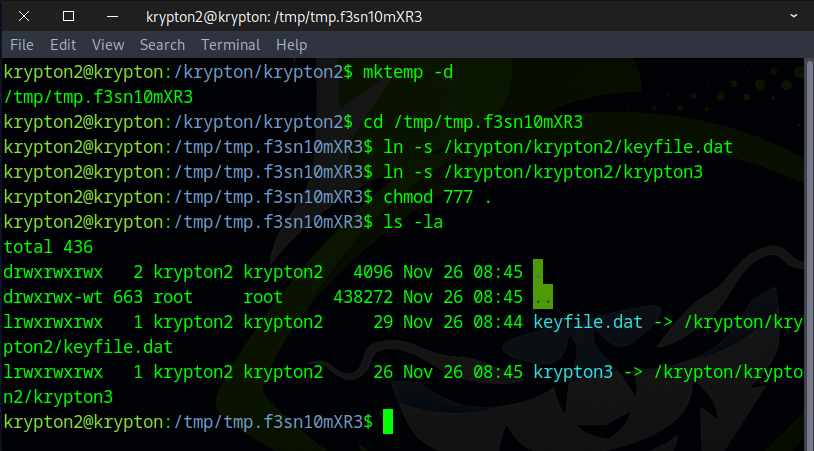
Now, create a test.txt file to test the functionality of the program.
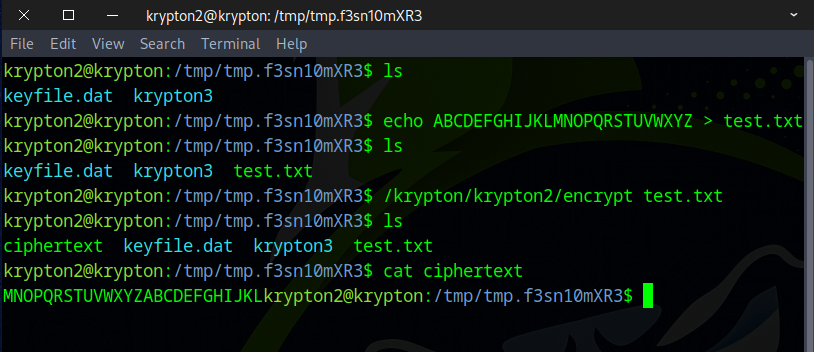
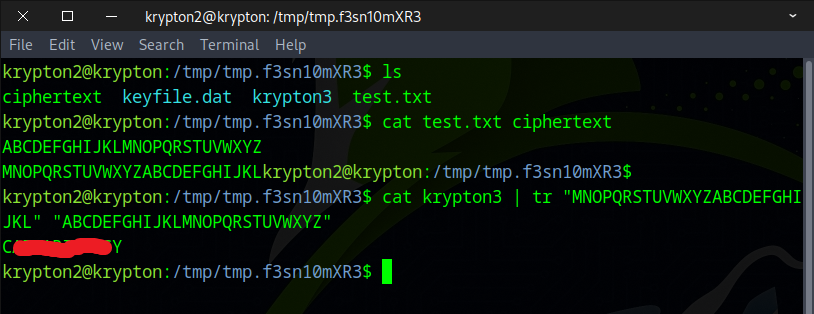
It appears that there is a 14 character shift between the original and ciphertext, so we’ll use the following command to decrypt krypton3.
cat krypton3 | tr "MNOPQRSTUVWXYZABCDEFGHIJKL" "ABCDEFGHIJKLMNOPQRSTUVWXYZ"
or
cat krypton3 | tr "M-ZA-L" "A-Z"
You can also use an online tool, like CyberChef, as an alternative.
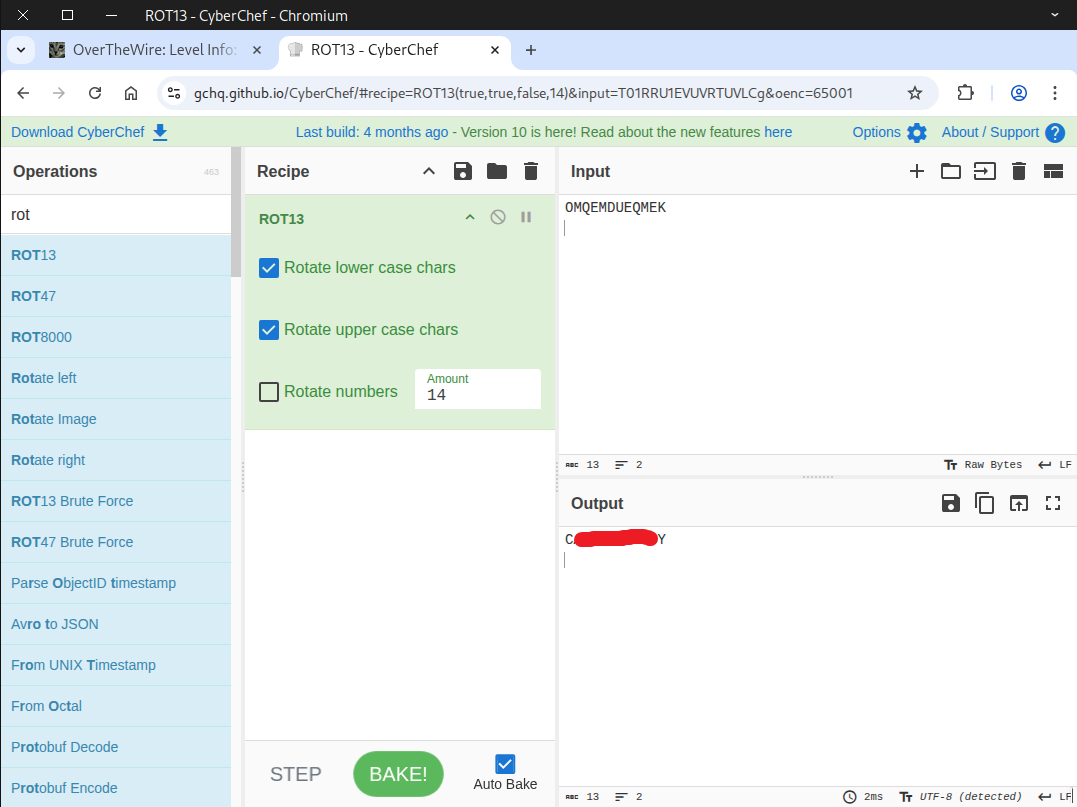
Awesome! Use this flag to move on to the next level.