ritheachengkh
🕸️Natas Level 11 → Level 12
http://natas11.natas.labs.overthewire.org
Username: natas11
Password: (natas11_password)
The hint for this challenge indicates that the Cookies are protected with XOR encryption.
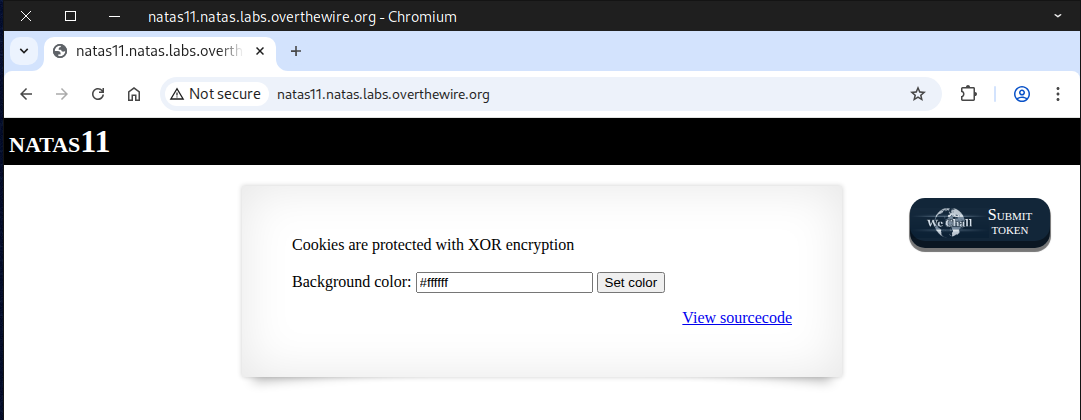
Inspect the page source for anything noteworthy — you’ll spot a variable called $defaultdata, which is quite interesting, along with a function responsible for encrypting the cookie.
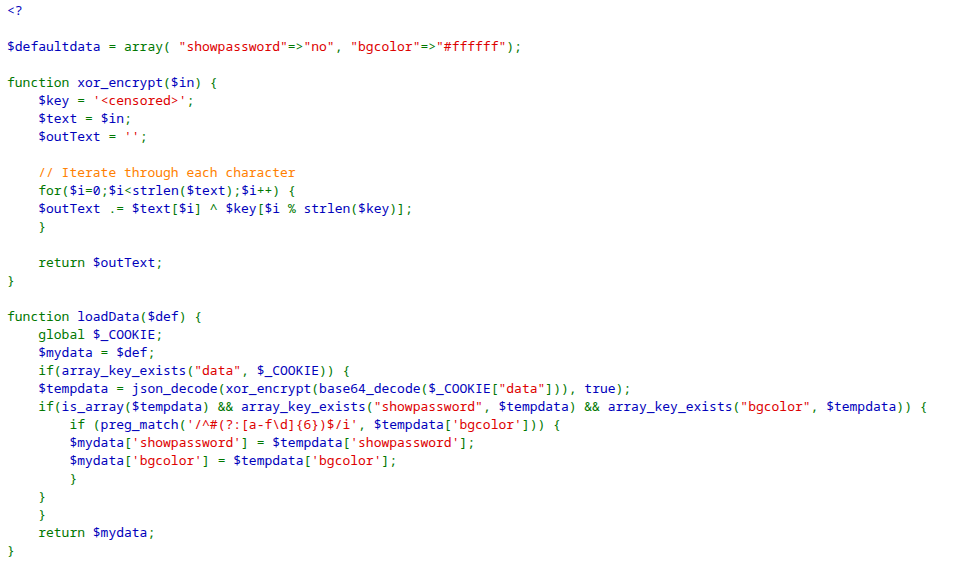
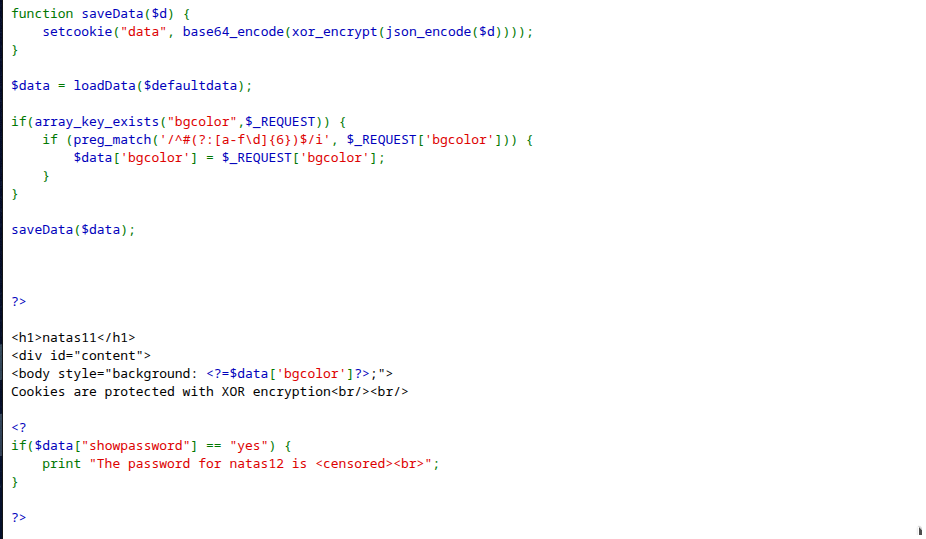
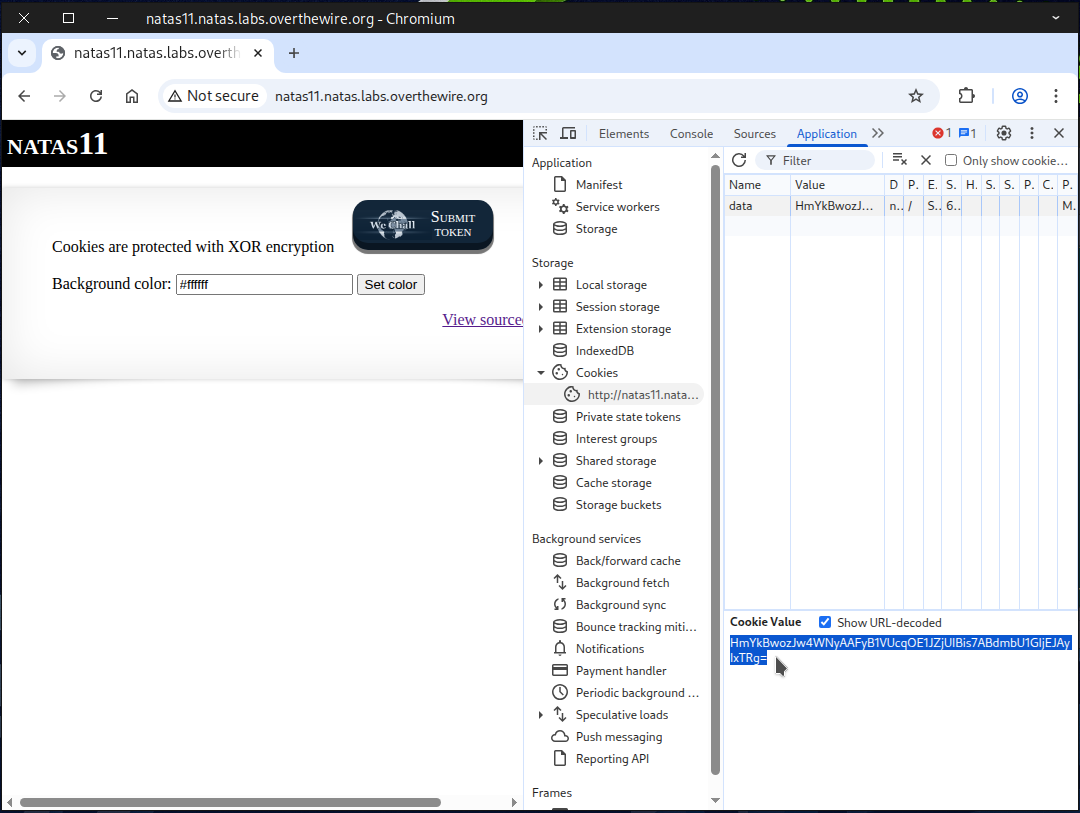
The next step: retrieve the cookie for analysis.
Press F12 or Ctrl + Shift + I to open Developer Tools.
Then go to the Application Tab.
In the left-hand menu, under Storage, click Cookies.
🔔 Note: Each browser has its own way of accessing cookies, so the steps may vary.
If dealing with the browser interface feels annoying, curl can quickly retrieve the cookie for you.
curl -c cookie.txt \
-u natas11:UJdqkK1pTu6VLt9UHWAgRZz6sVUZ3lEk \
http://natas11.natas.labs.overthewire.org/
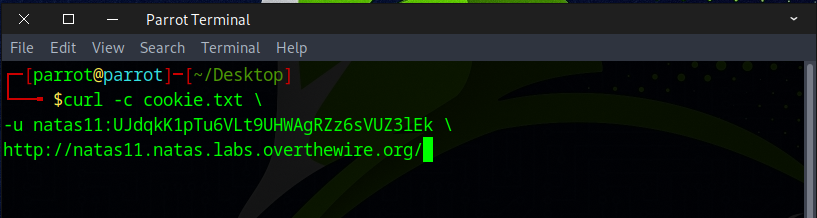
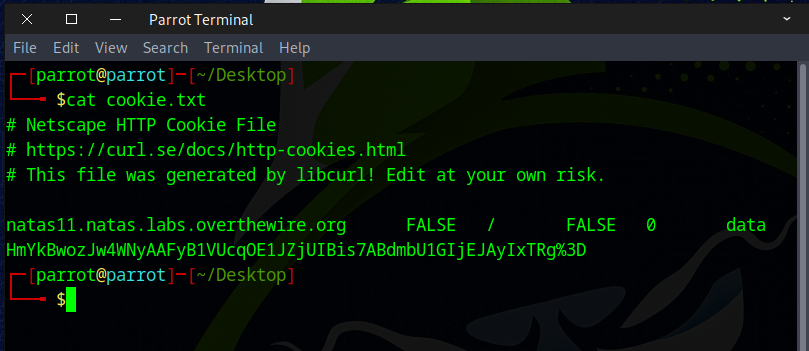
At this point, you should have successfully retrieved your cookie.
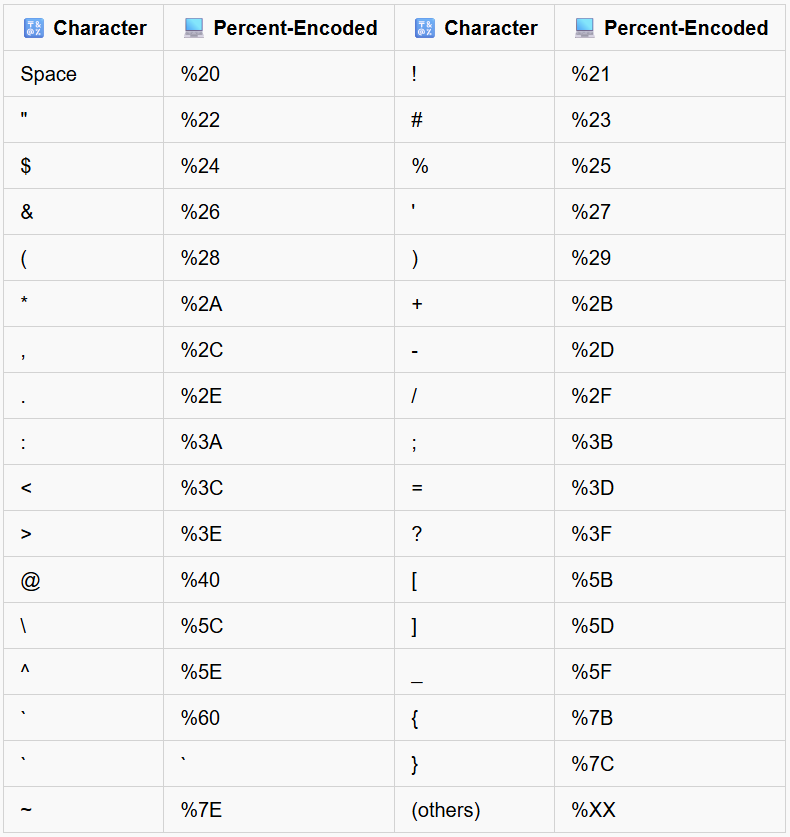
#URL-encoded
HmYkBwozJw4WNyAAFyB1VUcqOE1JZjUIBis7ABdmbU1GIjEJAyIxTRg%3D
#URL-decoded
HmYkBwozJw4WNyAAFyB1VUcqOE1JZjUIBis7ABdmbU1GIjEJAyIxTRg=
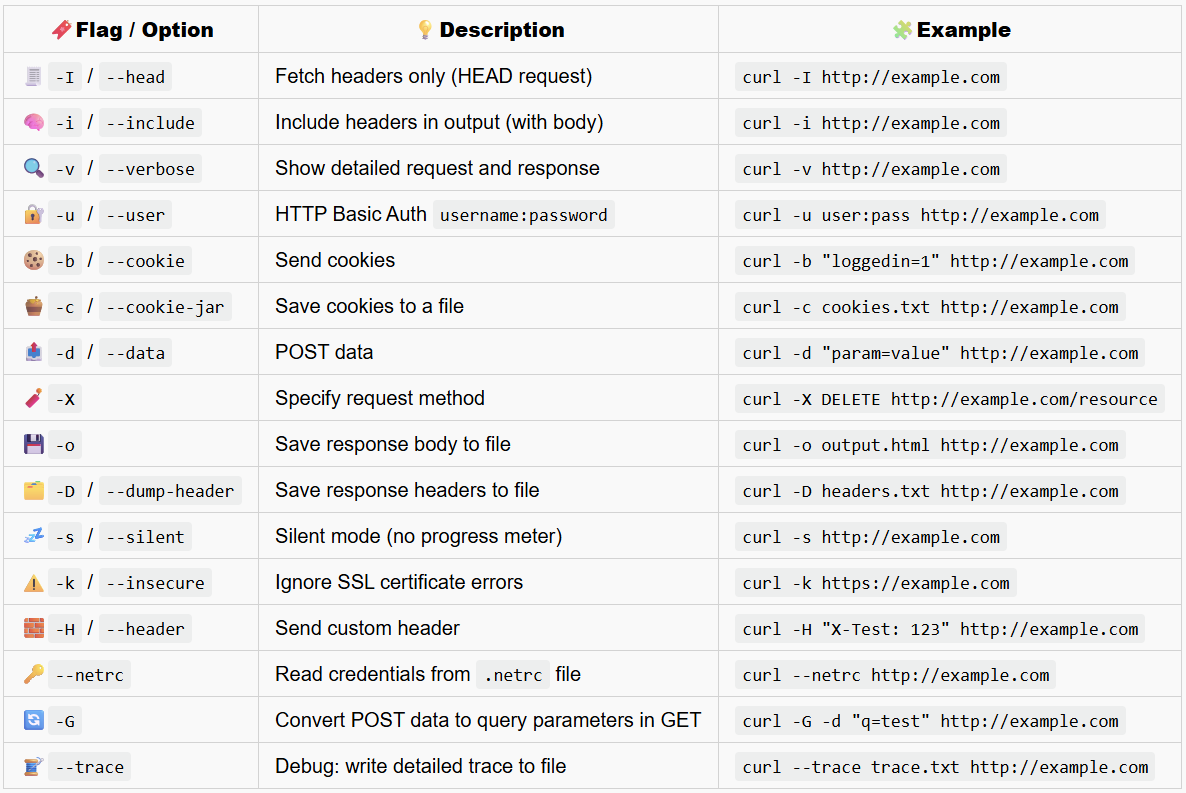
🔧Useful curl Commands and URL Encoding
⚡XOR Encryption: A Quick Guide
One of the special properties of XOR (exclusive OR) is that the order of operands doesn’t matter.
For Example:
A ⊕ B ⊕ C = 0101 ⊕ 0011 ⊕ 0110 = 0001
B ⊕ C ⊕ A = 0011 ⊕ 0110 ⊕ 0101 = 0001
✅ Same result — order doesn’t matter!
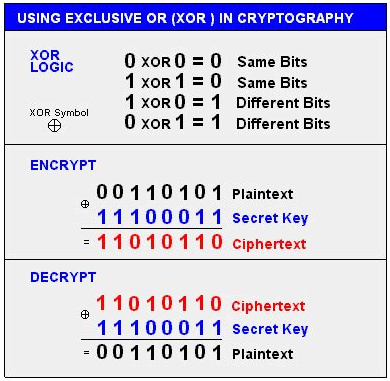
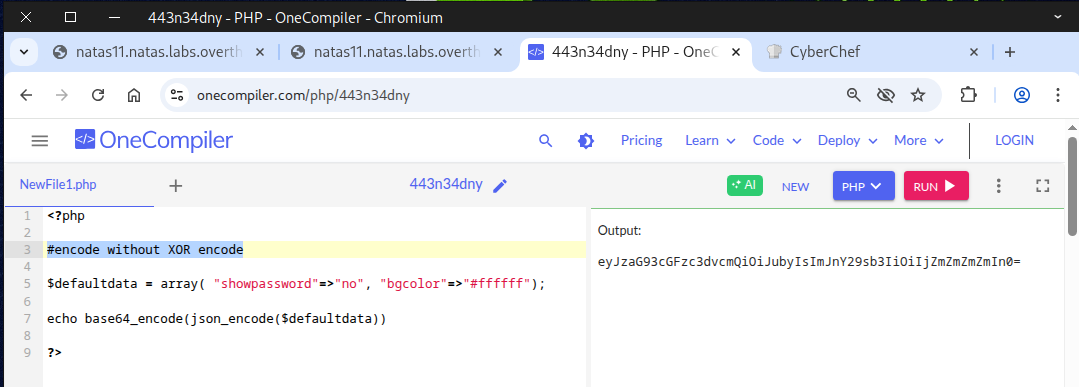
Next, use any online PHP compiler to run this PHP code.
<?php
#encode without XOR encode
$defaultdata = array( "showpassword"=>"no", "bgcolor"=>"#ffffff");
echo base64_encode(json_encode($defaultdata))
?>
Running the code should produce this output.
eyJzaG93cGFzc3dvcmQiOiJubyIsImJnY29sb3IiOiIjZmZmZmZmIn0=
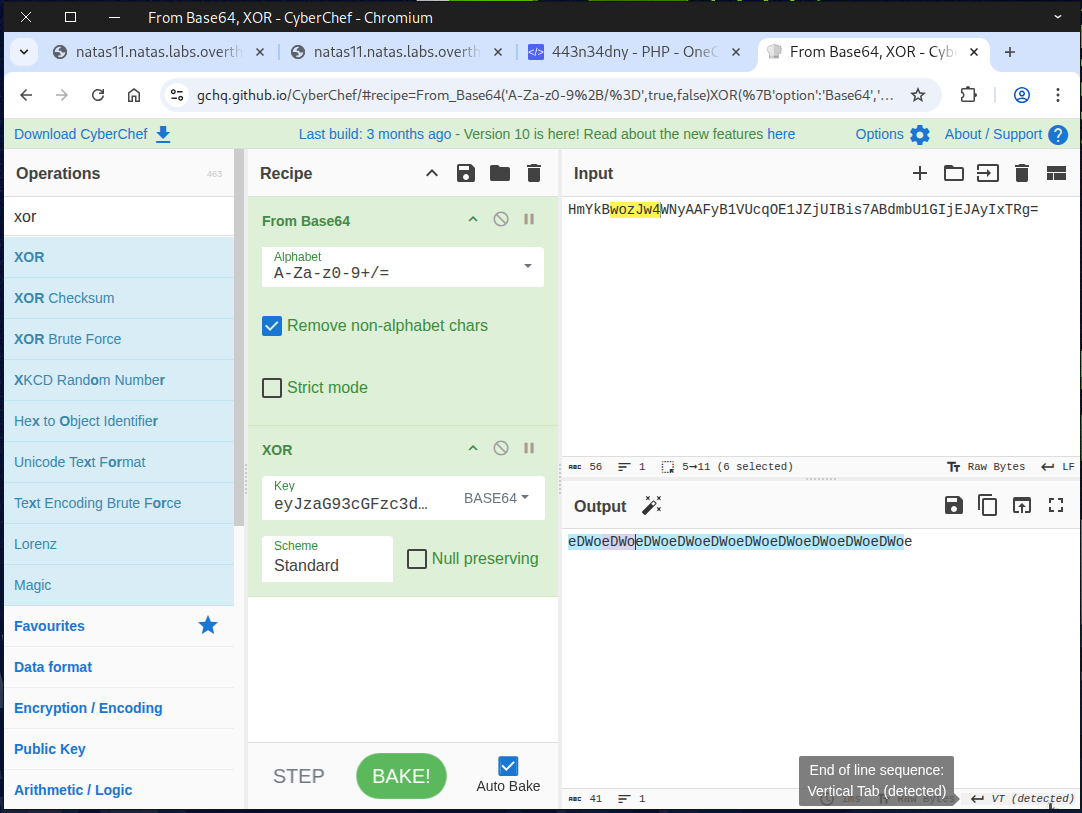
Next, go to CyberChef.
Search for From Base64 and XOR, then drag them into the recipe.
Paste your cookie into the input field.
⚡Remember: in XOR, the order doesn’t matter.
Also, copy and paste the cookie (without XOR encryption) into the XOR key.
Set the XOR type to BASE64.
You should then see this output.
eDWoeDWoeDWoeDWoeDWoeDWoeDWoeDWoeDWoeDWoeL
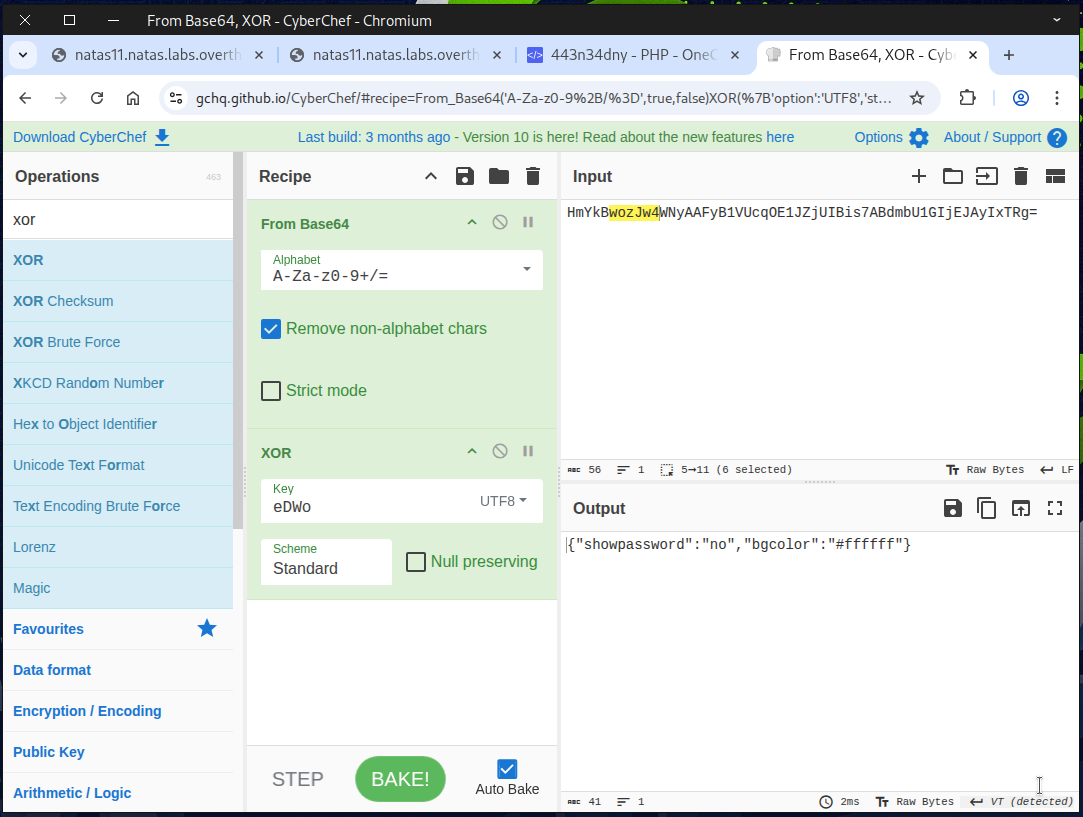
Notice that eDWo repeats; this is our 🔑 secret key.
Next, replace the key with eDWo and set the key type to UTF-8. This reveals the $defaultdata in plain text.
Now, reverse the process.
Either disable From Base64 or remove it from the recipe.
Search for To Base64 and add it to the recipe.
You should then see the original cookie.
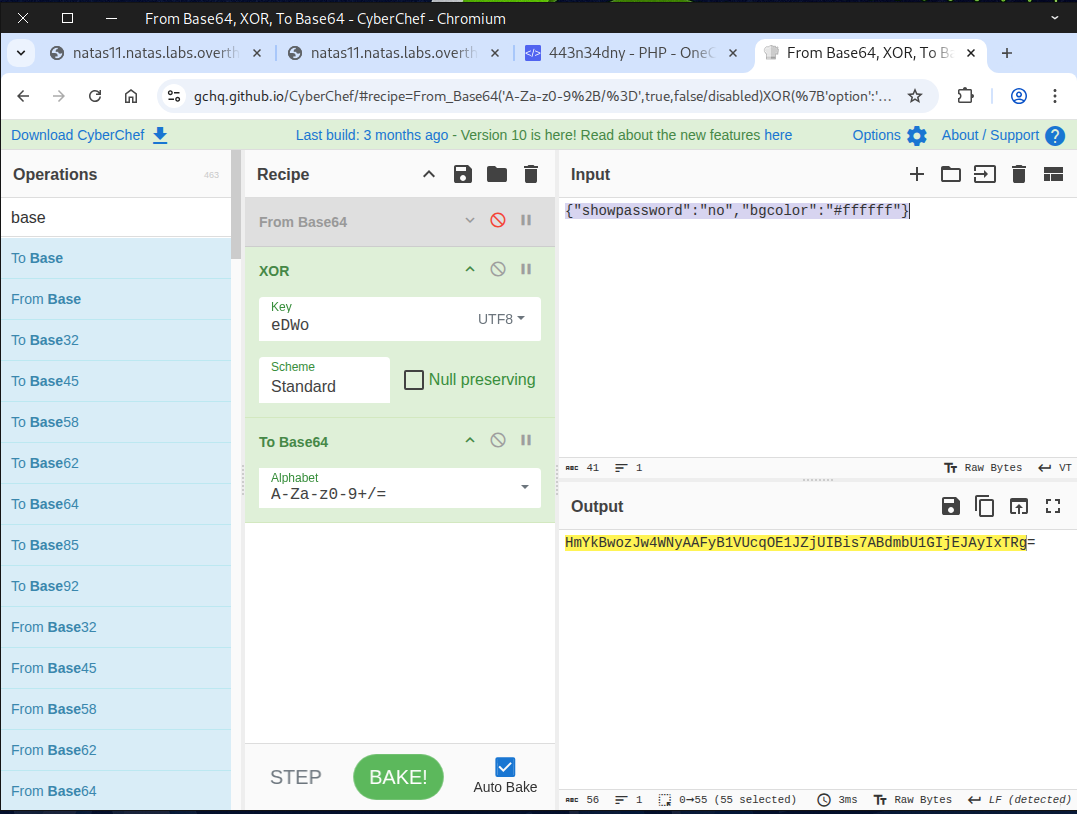
Now it’s time to bake our own cookie 🍪. Simply set the value of showpassword to yes.
Our homemade cookie 🍪 is ready and good to serve!
HmYkBwozJw4WNyAAFyB1VUc9MhxHaHUNAic4Awo2dVVHZzEJAyIxCUc5
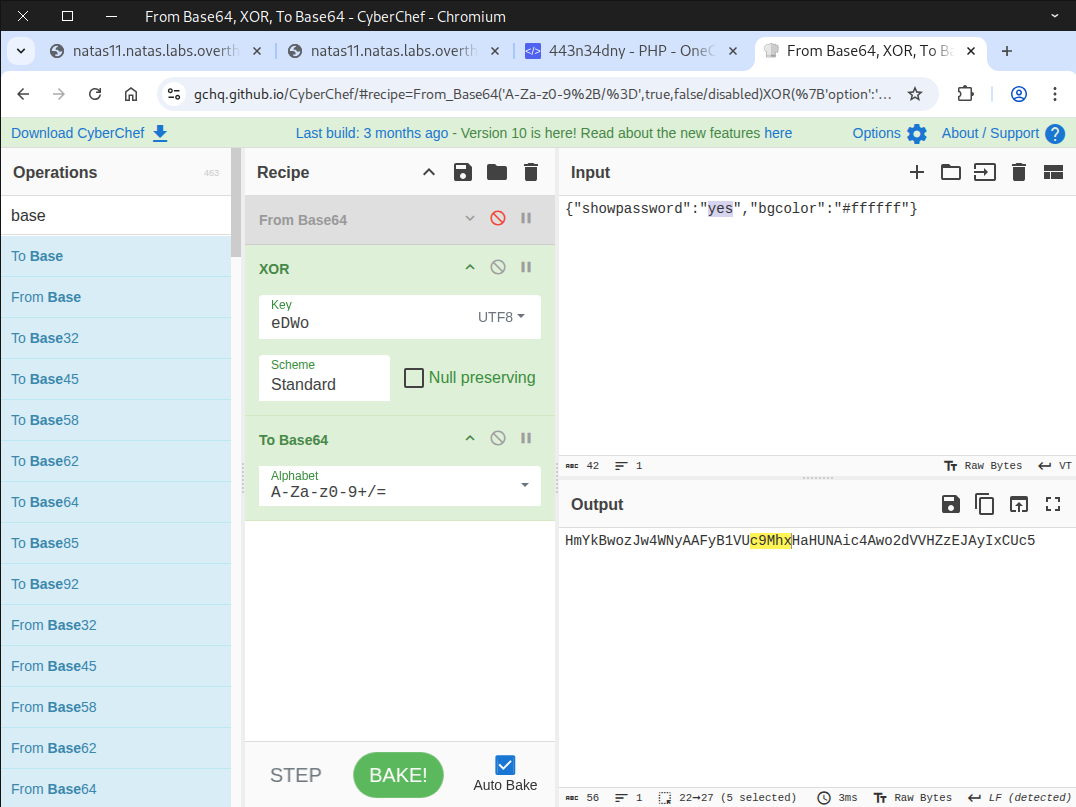
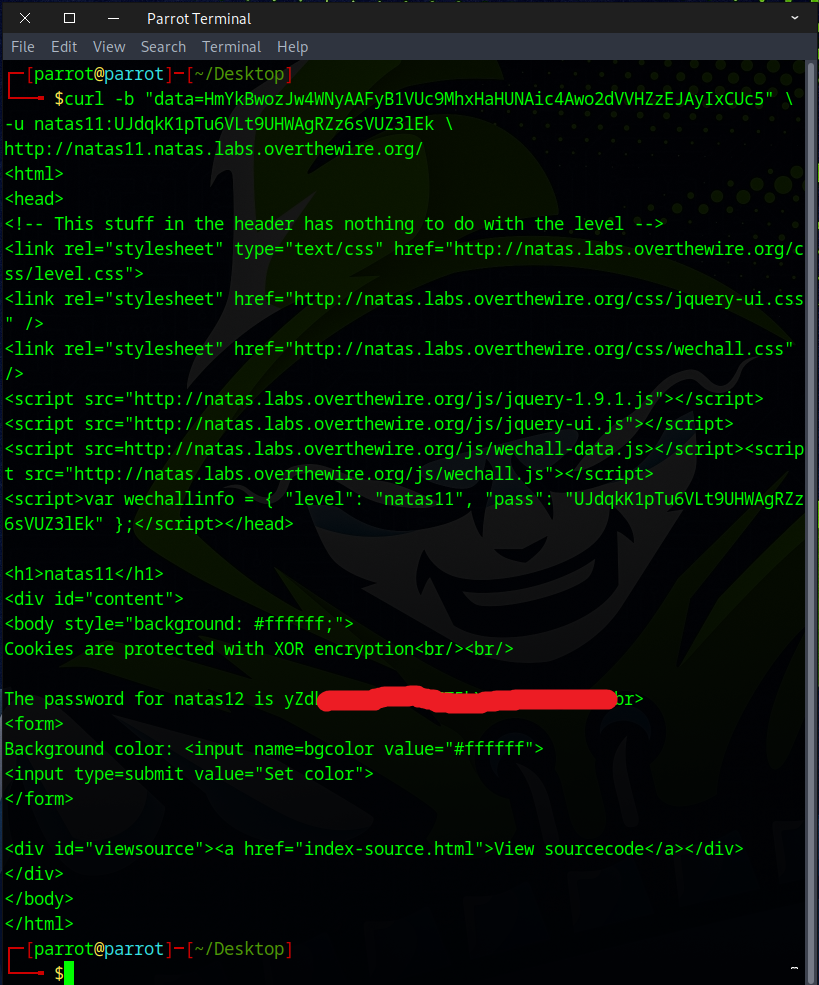
If you like keeping things simple with the command line, you can use curl with the -b or --cookie option to send the homemade cookie.
curl --cookie "data=HmYkBwozJw4WNyAAFyB1VUc9MhxHaHUNAic4Awo2dVVHZzEJAyIxCUc5" \
-u natas11:UJdqkK1pTu6VLt9UHWAgRZz6sVUZ3lEk \
http://natas11.natas.labs.overthewire.org/
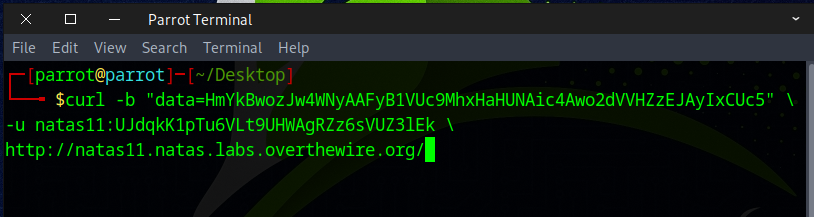
If everything was done correctly, the next level’s flag will be visible.
You can also manually insert the homemade cookie into the browser and refresh the page.
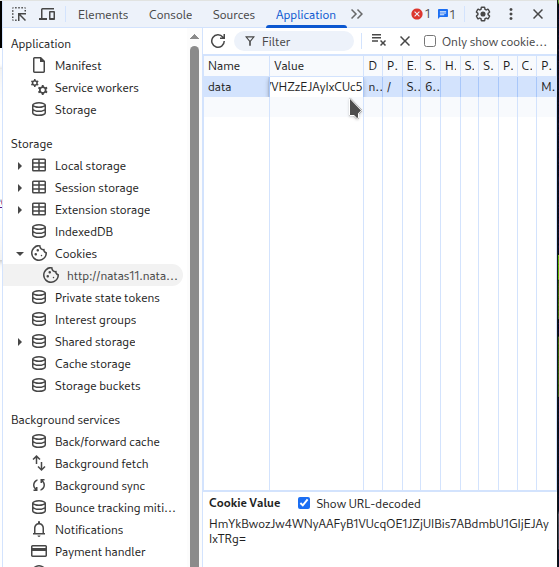
You should now see the flag.
Note: ⚠️ Security features in your browser or add-ons may interfere with this method.
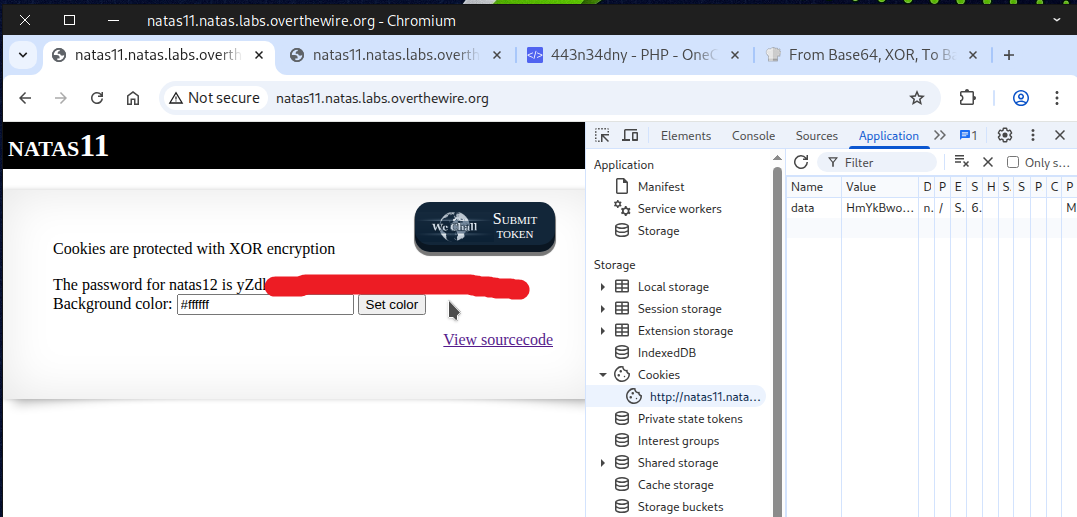
Boom! Flag secured — get ready for the next challenge.